
Your AI Stack Isn’t Automated If Someone Still Has to Be the Clipboard
September 22, 2026 · 7 min read
Your agent finishes the research in seconds.
It reads the brief, identifies the audience, drafts three campaign angles, writes the social copy, and even suggests which channel should get which version.
Then the automation stops.
Someone opens another tab.
They copy the visual prompt.
They paste it into an image tool.
They download the result.
They notice the background is wrong.
They open another tool.
They upload the image again.
They export a corrected version.
Then someone asks for a video.
Another upload.
Another prompt.
Another download.
Another Slack message:
“Which one is the latest version?”
The company may describe this as an AI-powered workflow.
The person moving files between tabs may describe it differently.
They have become the clipboard.
And that is one of the most common signs that an AI stack is not nearly as automated as it looks on the architecture diagram.
The Clipboard Tax
Every manual handoff creates a small tax.
Usually, none of these tasks looks serious enough to fix on its own.
Copy a prompt: 30 seconds.
Rename a file: another 20.
Upload it somewhere else: one minute.
Find the correct version: two minutes.
Ask which aspect ratio marketing wanted: another message.
Regenerate because the visual changed unexpectedly: five more minutes.
One task is trivial.
Multiply it across five assets, three channels, four campaigns, and several people, and the cost becomes much harder to ignore.
The result is a peculiar form of automation:
the system thinks quickly, but the organization still moves slowly.
This is why measuring the number of AI tools in a stack tells you almost nothing about how automated the work actually is.
A ten-tool stack can still depend on one person manually stitching everything together.
The Clipboard Test
There is a simple way to find these gaps.
Take one real deliverable and follow it from request to publication.
Every time someone has to manually:
- copy information from one tool into another;
- download and re-upload a file;
- rewrite context that another system already knows;
- search for the latest approved version;
- translate a written brief into a second visual brief;
- resize or reformat the same asset by hand;
- send a message just to tell the next person that work can begin;
mark that step.
Those marks are your clipboard tax.
Some of them will be worth keeping.
Others exist only because two parts of the stack do not speak the same operational language.
The interesting question is not:
“Can AI perform this task?”
It is:
“Why does a human still need to carry the result from one AI system to the next?”
Visual Work Exposes the Problem First
Text automation hides weak handoffs surprisingly well.
A research agent can pass structured notes into a writing system.
A writing system can pass copy into a CMS.
A scheduler can publish it.
The outputs are mostly text, and text moves easily.
Visual content is less forgiving.
An image has dimensions.
A source file.
A style reference.
An approved product appearance.
A background that may or may not be allowed to change.
A video adds duration, framing, movement, aspect ratio, and timing.
Suddenly the phrase “create a visual” contains far more decisions than the agent stack expected.
This is often where a seemingly autonomous content system quietly returns control to a person.
The agent says:
“Create a vertical product video using the approved campaign visual.”
The human still has to figure out what that means operationally.
Which approved visual?
Where is it stored?
Does it need editing first?
Can the product change?
What movement is acceptable?
Which output should be treated as final?
The problem is not that the agent cannot generate another sentence.
The problem is that production state has become fragmented.
A Bad Handoff Loses Context
Imagine a product image has already been approved.
The packaging is correct.
The lighting is right.
The client likes the composition.
There is only one issue: an object in the background needs to disappear.
If the next system receives only:
“Create a cleaner version of this product image.”
too much context has already been lost.
“Cleaner” might mean:
- change the background;
- remove shadows;
- alter the lighting;
- reposition the product;
- smooth the packaging;
- regenerate the scene.
But the real instruction was much narrower:
“Keep the product, framing, lighting, and colour unchanged. Remove the object behind the product.”
That difference matters.
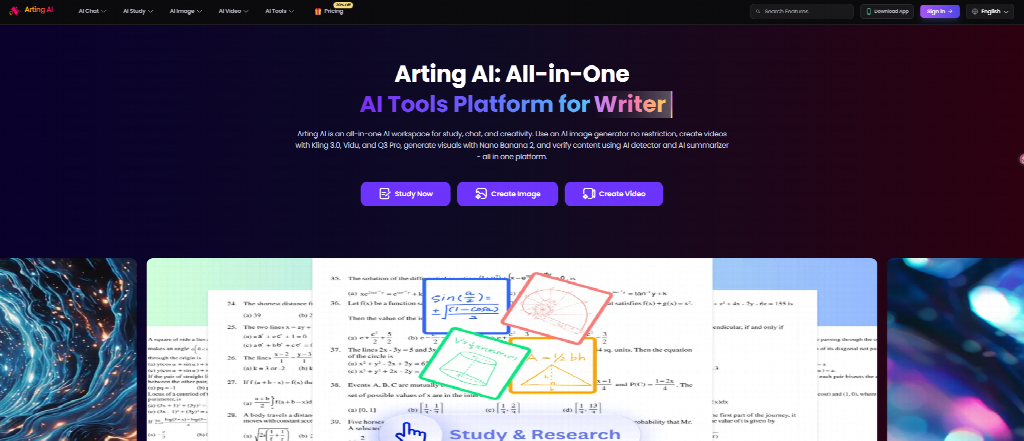
For teams working with approved source assets, an AI image editor such as Arting can be useful precisely because the job may be modification rather than regeneration: change the part that failed review while keeping the useful image as the starting point.
The operational lesson is bigger than the tool.
A good system should pass constraints, not just requests.
“Make an image” is a request.
“Remove this object; everything else is locked” is an executable instruction.
The Same Failure Happens With Video
Video creates an even larger opportunity for context loss.
Suppose the approved image now needs a short motion version.
A weak handoff says:
“Turn this into a video.”
A stronger handoff carries the creative state forward:
- Source image: approved
- Product appearance: locked
- Background: locked
- Duration: 6 seconds
- Output: vertical
- Desired movement: slow camera push
- Prohibited change: no product rotation
- Review requirement: product label must remain readable
Now the next production step has something much closer to a specification.
An image to video AI tool such as VideoPlus can take an existing visual and turn it into a short motion asset, which makes it useful when the team wants to preserve a known starting image rather than invent the scene again.

But the difference between a usable result and another round of regeneration often comes from the information surrounding that image.
The model sees pixels.
The workflow needs to remember decisions.
Tool Count Is the Wrong Metric
There is a strange stage many teams go through when building an AI stack.
Every new friction point produces another subscription.
Need copy? Add a tool.
Need images? Add another.
Need video? Another.
Need resizing? Another.
Need scheduling? Another.
Need approval? Another.
Soon the stack looks sophisticated.
The workflow still feels terrible.
That happens because capabilities accumulate faster than coordination.
A team does not necessarily need fewer tools.
It needs fewer ambiguous handoffs.
The distinction matters.
Three highly specialized tools connected by clear state and approval rules can feel far more automated than one “all-in-one” workspace that still requires employees to remember what happened before each step.
Autonomy is not the absence of humans.
It is the absence of unnecessary human translation.
The Human Should Approve Decisions, Not Transport Them
Human-in-the-loop systems are sometimes treated as a compromise: the AI is not good enough, so a person has to stay involved.
That framing misses the point.
There are places where a person should absolutely remain involved.
A brand manager should approve a visual direction.
A marketer should decide whether the message is appropriate.
A product owner should catch an inaccurate representation.
A legal reviewer may need to approve a claim.
Those are decisions.
Downloading final_v6_REAL.png from one tab and uploading it into another is not a decision.
Copying a campaign objective that already exists in the brief is not judgment.
Asking in Slack whether the client approved version B because the status lives in somebody else's spreadsheet is not creative supervision.
A well-designed human-in-the-loop system should concentrate human attention where uncertainty or responsibility exists.
Everything else is a candidate for removal.
Give the Workflow Memory, Not Just Intelligence
AI stacks often invest heavily in reasoning and surprisingly little in state.
But content production depends on state.
The system should know:
What is approved?
Not just what exists.
What is locked?
Which elements cannot change?
What failed previously?
If three earlier generations distorted the logo, that should affect the next attempt.
What is the current destination?
The same asset going to a landing page and a vertical social feed needs different treatment.
Who needs to review the result?
Not every output needs the same approval path.
Without state, each tool behaves like a talented contractor who arrives with no memory of yesterday's meeting.
The team spends its time re-briefing.
That is not an intelligence problem.
It is a systems problem.
Build Around Exceptions
The cleanest automation diagram usually looks like this:
Brief → Generate → Approve → Publish
Real work rarely behaves so politely.
The interesting part is what happens when:
- the image is good but one detail is wrong;
- the video is approved but needs another aspect ratio;
- the product changed but the campaign did not;
- one region rejects an asset that another region accepts;
- a legal review blocks one claim;
- the source image must stay fixed while everything around it can change.
These are exceptions.
And exceptions are where human clipboard work multiplies.
A mature agent system should therefore be designed around the question:
“What happens when only one part of the output fails?”
If the answer is:
“We start again,”
the system is wasting both computation and human time.
If the answer is:
“We route the failed part back to the appropriate capability while preserving approved state,”
the workflow has started behaving more like an actual production system.
The Most Valuable Agent May Be the Router
Teams are naturally attracted to agents that create things.
The research agent.
The copy agent.
The image agent.
The video agent.
But the less glamorous agent may eventually create more value:
the one deciding what should happen next.
A useful router can ask:
- Does this request require a new asset or an edit?
- Is there already an approved source?
- Which parts are locked?
- Does this need image output or motion?
- Is human approval required before generation?
- What destination format is needed?
- Can the result move directly to the next step?
That is not impressive in a demo.
It is extremely valuable at scale.
Because once routing works, teams stop treating every creative request as a new project.
They start treating it as a state change.
Stop Counting Automations. Count Handoffs.
A company can proudly say that 80% of its content process uses AI and still have employees spending hours carrying work across the remaining 20%.
That final 20% often determines whether the system feels fast or frustrating.
So instead of asking:
How many tasks have we automated?
ask:
How many manual handoffs remain between request and publication?
Then look at each one.
Does a person need to make a judgment?
Keep them there.
Does a person need to verify something consequential?
Keep them there.
Are they simply copying information the system already knows?
That handoff is probably living on borrowed time.
The real benchmark for an agentic content stack is not how impressive each individual agent looks.
It is whether the work can keep moving without someone spending the afternoon acting as the clipboard.