
How To Test No Sign Up Image To 3D For Game Assets
November 6, 2026 · 6 min read
Concept artists often lose entire afternoons manually extruding simple background props into polygon blockouts. Testing No sign up image to 3D generation offers a direct browser route from flat character sketches to rotatable geometry.
In fast-moving game development sprints, building greybox levels requires hundreds of placeholder objects before final art production begins. Traditional photogrammetry requires dozens of calibrated camera angles, while manual polygonal subdivision consumes hours of senior artist attention for simple crates, statues, and environmental set dressing. Modern browser-based tools have evolved beyond generating flat decorative illustrations, directly computing three-dimensional spatial coordinates and texture wrappers from standard raster files.
When evaluated inside production pipelines, Image to 3D AI eliminates the preliminary friction of account registration and local software installation. Creators can drop concept artwork directly into the canvas and inspect resulting mesh topology within minutes. Understanding the exact mechanical behavior of web-based mesh synthesis allows technical leads to accelerate pre-production without compromising asset hygiene or engine compatibility.
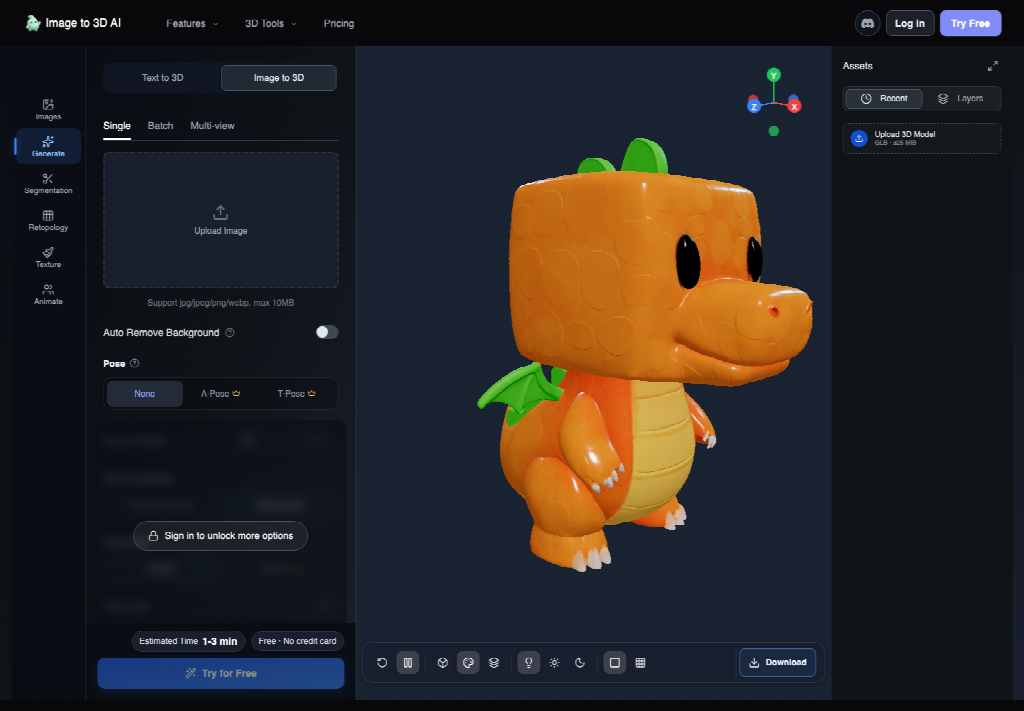
Preparing Input Art For Reliable Depth Extrusion
The mathematical reconstruction of depth coordinates from a two-dimensional raster image depends fundamentally on contrast boundaries and structural illumination. Diffusion-based neural networks infer unseen surface contours by analyzing shading gradients, contour silhouettes, and familiar planar geometry. Feeding an image with confusing visual clutter or dramatic perspective distortion inevitably introduces concave geometry errors and irregular surface normals.
During asset preparation tests, transparent PNG files or solid neutral backgrounds consistently produced cleaner polygon boundaries than high-detail environment paintings. When an input image contains cast shadows or overlapping background furniture, the reconstruction engine frequently welds those extraneous visual elements directly into the main subject mesh. Studio artists should isolate target props cleanly before submitting images to the cloud generation queue.
Isolating Subject Silhouettes Against Neutral Backgrounds
Ensuring clear edge contrast allows the edge-detection pass to establish a distinct outer boundary for volumetric expansion. Concept sketches featuring high-contrast lines and uniform ambient lighting yield predictable symmetrical thickness across the lateral axis. Conversely, heavily textured backgrounds force the neural model to guess whether dark values represent surface occlusion or separate spatial planes.
Studio artists should follow a consistent asset preparation protocol prior to browser upload. Cropping extraneous visual noise, leveling horizontal baselines, and providing consistent lighting angles eliminates the majority of mesh welding defects. Spending sixty seconds cleaning an alpha cutout in Photoshop saves thirty minutes of manual vertex cleanup in downstream digital content creation suites.
Step-by-Step Generation Flow Inside The Browser Workspace
The core operating interface of Image to 3D AI provides a streamlined path designed for zero-barrier asset experimentation. Rather than requiring complex installation packages, dedicated graphic workstation drivers, or lengthy onboarding tutorials, the entire process runs natively within contemporary web browsers. The straightforward three-step pipeline converts raster drawings into inspectable three-dimensional objects.
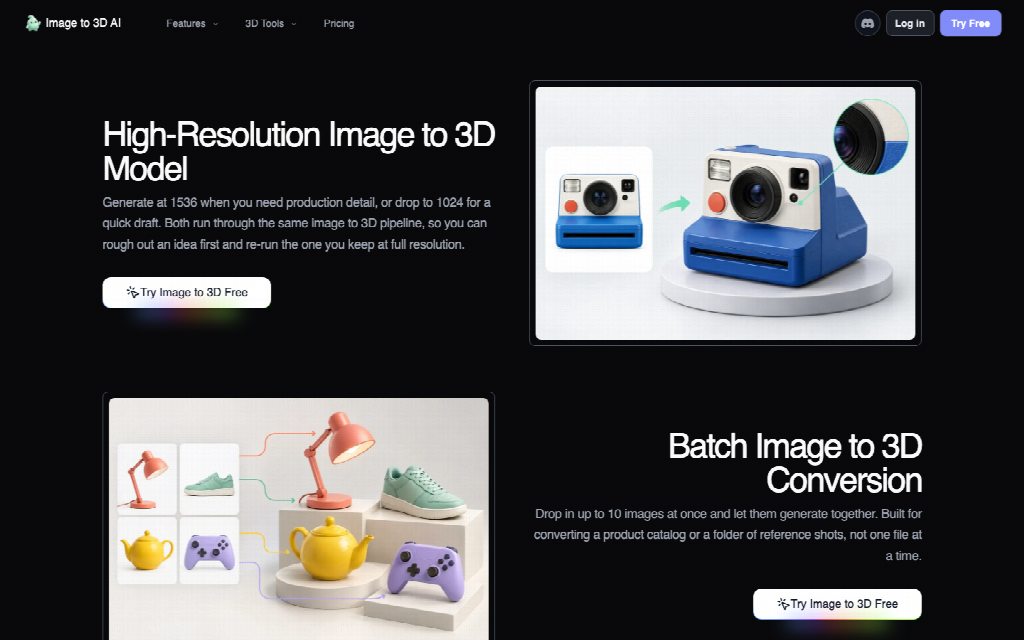
- Upload the Source Visual: Drag and drop a single JPG or PNG asset into the primary generation workspace, or provide multi-angle reference views for complex items.
- Configure Mesh Representation: Select between a pure untextured white polygonal surface or a fully mapped colored texture skin based on target game requirements.
- Synthesize and Inspect: Initialize model generation to compute surface geometry within several minutes, followed by real-time orbital inspection in the interactive 3D viewport.
This automated flow significantly reduces turnaround time during early ideation meetings. Art directors can sketch thumbnail prop variations on a digital canvas, process them immediately through the web tool, and review physical spatial volumes on screen while gameplay discussions are still taking place.
Selecting Between White Mesh And Textured Surfaces
Choosing the correct surface mode at the outset dictates how downstream tools interpret the asset. The white mesh option outputs raw geometric curvature without baked color information, making it ideal for physical rapid prototyping, 3D printing slicing software, or digital sculptors who intend to hand-paint custom procedural shaders. Without surface paint distracting the eye, artists can evaluate silhouette volumes and structural balance immediately.
Conversely, the textured generation mode extracts surface chromatic data from the original photograph and wraps it across synthesized UV coordinates. For real-time greybox playtesting or mobile game background filler, textured meshes can drop directly into scene hierarchies without requiring immediate material authoring. Evaluating texture stretching across rear facets reveals whether single-view interpolation was sufficient or if secondary angles are needed.
Assembling Multi-View Angles For Complete Backside Coverage
Single-image synthesis relies on neural symmetry assumptions to construct the unobserved reverse side of an object. While symmetrical props such as ceramic vases, street lamps, and simple weapons resolve cleanly, asymmetrical characters or complex machinery often suffer from flattened rear surfaces. Utilizing the dedicated four-view input feature resolves this geometric ambiguity by capturing front, left, back, and right perspectives simultaneously.
When providing four orthographic viewports, the reconstruction algorithms cross-reference boundary curves across all four projections. This eliminates phantom cavities and maintains dimensional fidelity across the entire horizontal rotation. Studios working on hero game assets should prioritize orthogonal four-view turnarounds whenever complex mechanical detailing or distinctive backpack silhouettes are required.
Practical Mesh Inspection And Export Parameters
Once geometric computation completes, the interactive browser viewer allows artists to rotate, pan, and zoom around the newly formed model. Inspecting the wireframe density and polygon distribution before triggering file downloads prevents corrupt or bloated assets from entering the studio version control repository. The default generation creates meshes at a balanced 1536 resolution, providing ample organic detail while remaining responsive during viewport manipulation.
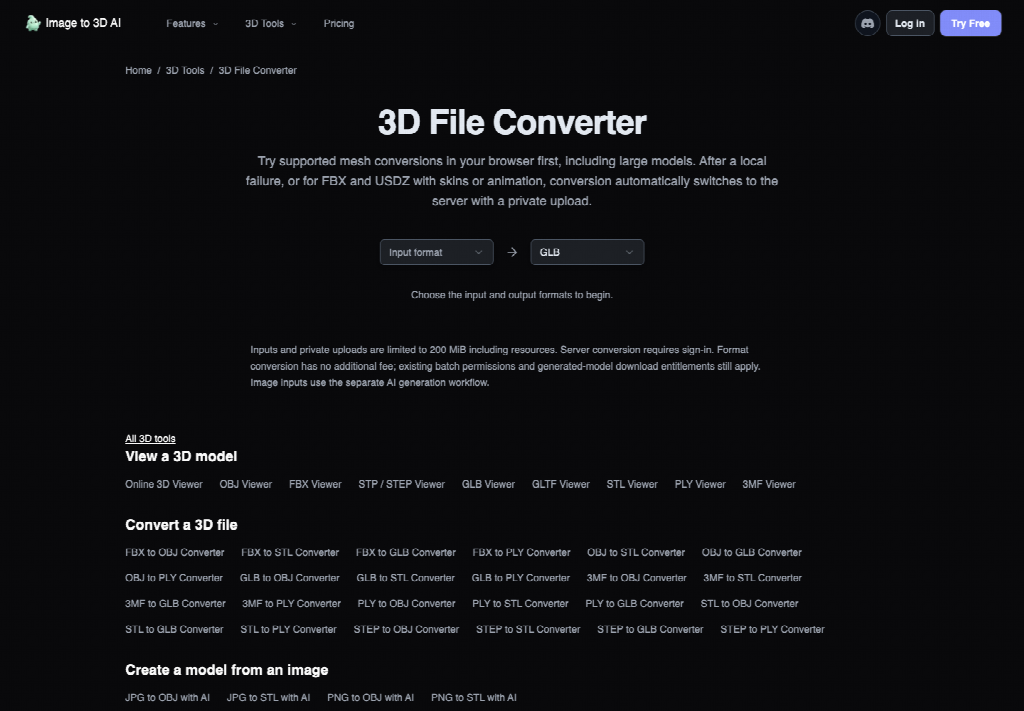
Technical teams evaluating a free 3d model ai workflow must examine file format compatibility against their target game engines. The platform supports standard GLB export for lightweight web transmission and mobile deployment, alongside STL formatting for additive manufacturing and 3D print slicing. Furthermore, integrated secondary toolsets allow creators to segment composite meshes into distinct functional sub-objects, retopologize dense irregular triangles into clean quad loops, and automatically bind skeletal joints for immediate character animation testing.
- Input Resolution Standards: Maintain source image dimensions between 1024x1024 and 2048x2048 to preserve edge crispness and avoid blurred surface triangulation.
- Background Separation Controls: Provide transparent PNG cutouts or neutral white backdrops to prevent extraneous environmental pixels from fusing into subject geometry.
- Surface Representation Selection: Choose untextured white mesh for digital sculpting and physical slicing, or textured mode for immediate gameplay greyboxing.
- Export Container Formats: Rely on standardized GLB outputs for cross-engine deployment, reserving STL containers strictly for additive 3D manufacturing passes.
Checking these baseline configuration parameters ensures that generated meshes integrate smoothly into standard studio asset pipelines. Low-resolution inputs or cluttered backdrops frequently trigger geometric failure, yielding unusable surface contours that waste valuable sprint time. While automated synthesis does not eliminate senior sculpting passes and high-precision game assets still need human refinement, keeping strict input hygiene ensures dependable blockouts every time.
Integrating The Generated Asset Into Game Engines
Exported GLB files transition seamlessly into popular game engines including Unity, Unreal Engine 5, and Godot. Because web-generated geometry typically utilizes dense surface triangulation, bringing the raw asset into Blender for a rapid decimation or quad-remesh pass ensures optimal rendering performance on target hardware. Teams can also leverage the platform's native AI Retopology feature directly within the cloud workspace to convert irregular triangles into uniform quad wireframes prior to export.
In engine viewports, imported meshes immediately participate in standard scene lighting, cast dynamic contact shadows, and support physics colliders. Level designers can assign box or convex hull collision meshes in seconds, scattering generated props across test levels to validate sightlines, jump distances, and spatial scale. Replacing placeholder cubes with recognizable visual props gives development teams early aesthetic feedback without waiting for dedicated modeling passes.
For character blockouts and mobile NPC populations, the built-in auto-rigging capability automatically detects humanoid anatomical landmarks and places internal skeletal hierarchies. Exporting rigged GLB files directly into Unity enables animators to test walk cycles, idle stances, and combat swings during prototype balance passes. This end-to-end cloud progression bridges the gap between 2D concept sketches and playable 3D game experiences.
Strategic Takeaways For Rapid Game Prototyping Teams
Adopting browser-based generative 3D tools is not about eliminating skilled technical modelers, but rather about removing tedious blockout friction from early pre-production cycles. When game studios spend weeks manually drafting background clutter for prototype pitches, iteration velocity slows and creative risk-taking declines. Deploying Image to 3D AI allows artists to test radical prop concepts, unusual creature silhouettes, and architectural variants within single afternoon sprints.
By enforcing disciplined input standards—including transparent subject isolation, orthogonal view alignment, and conscious surface mode selection—indie studios can establish an agile asset pipeline that outpaces conventional greybox drafting. The platform delivers functional, textured geometry directly to the browser without financial or administrative barriers, empowering creative teams to turn conceptual visions into tangible interactive worlds.