
Bringing Historical Illustrations to Life Through Video
September 3, 2026 · 4 min read
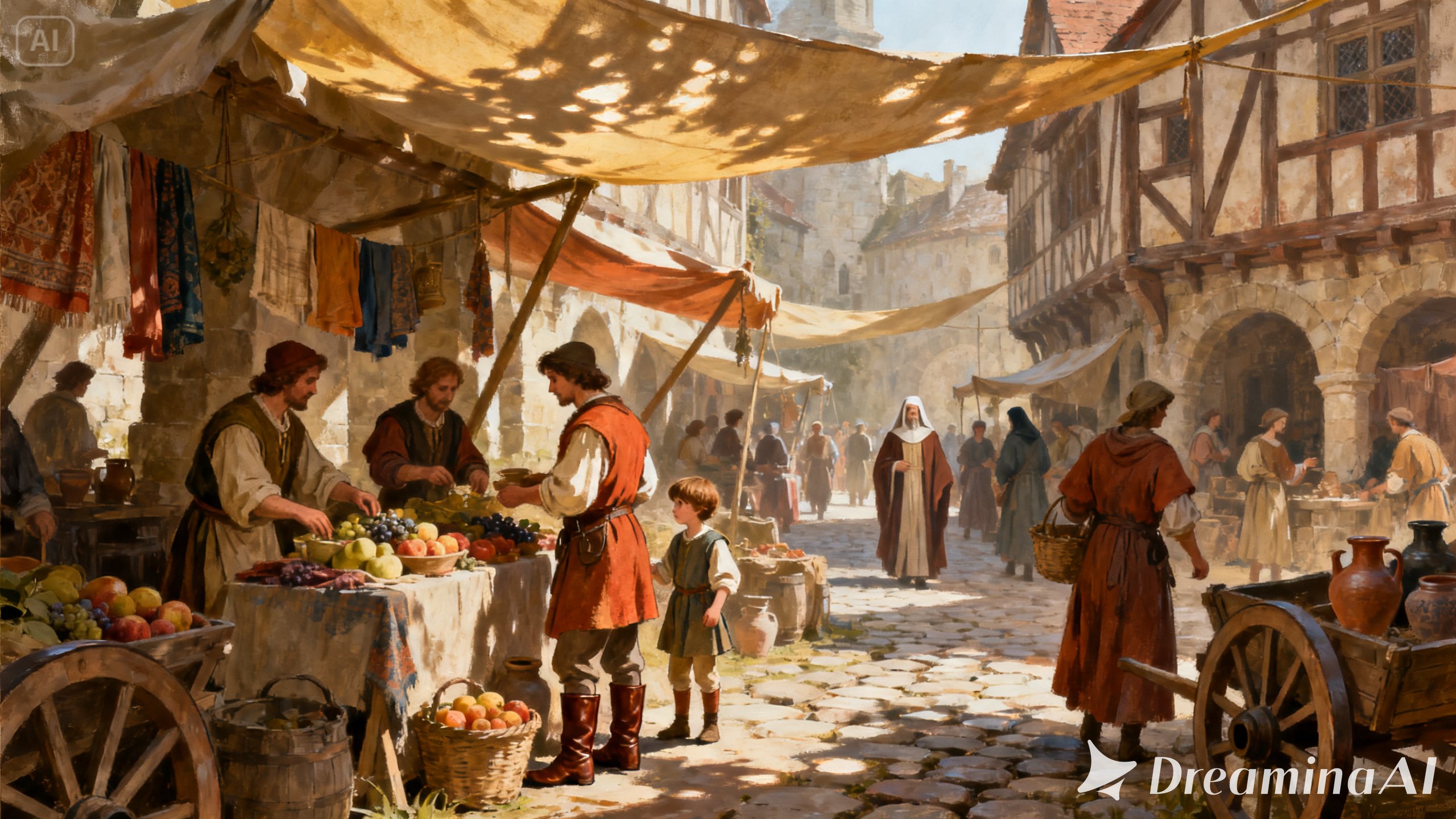
A historical illustration can hold an incredible amount of information in one frame, a battle caught mid-charge, a market bustling with period detail, a portrait where posture and dress alone tell you the century. The problem is that history was never actually still, and a flat image can only go so far toward making a modern viewer feel that. Image to video tools close that gap, giving a historical illustration just enough motion to work like a small window back into the past. Dreamina, running on its most advanced video generation model, Seedance 2.5, makes that shift possible for educators, historians, and creators without a production budget.
Why these scenes were always meant to move
Textbooks and museum placards constantly describe motion: a crowd gathering, a battle unfolding, a market waking up at dawn, while the picture beside all that text sits there, frozen. Animating the illustration lets a viewer actually see a piece of that motion instead of only reading about it.
What separates a convincing scene from one that feels off
A handful of things tend to make the difference here. The motion needs to feel like it belongs to the period, not borrowed from a modern camera move. Clothing, tools, and buildings should move the way they actually would have — heavy wool doesn't flutter the way silk does. Pace matters too: something quieter and more observational usually reads as more authentic than a fast highlight-reel style. And the light needs to match the actual setting and time of day, not whatever looks most cinematic on paper.
Bringing your illustration to life with Dreamina
Step 1: Upload your illustration and describe the scene
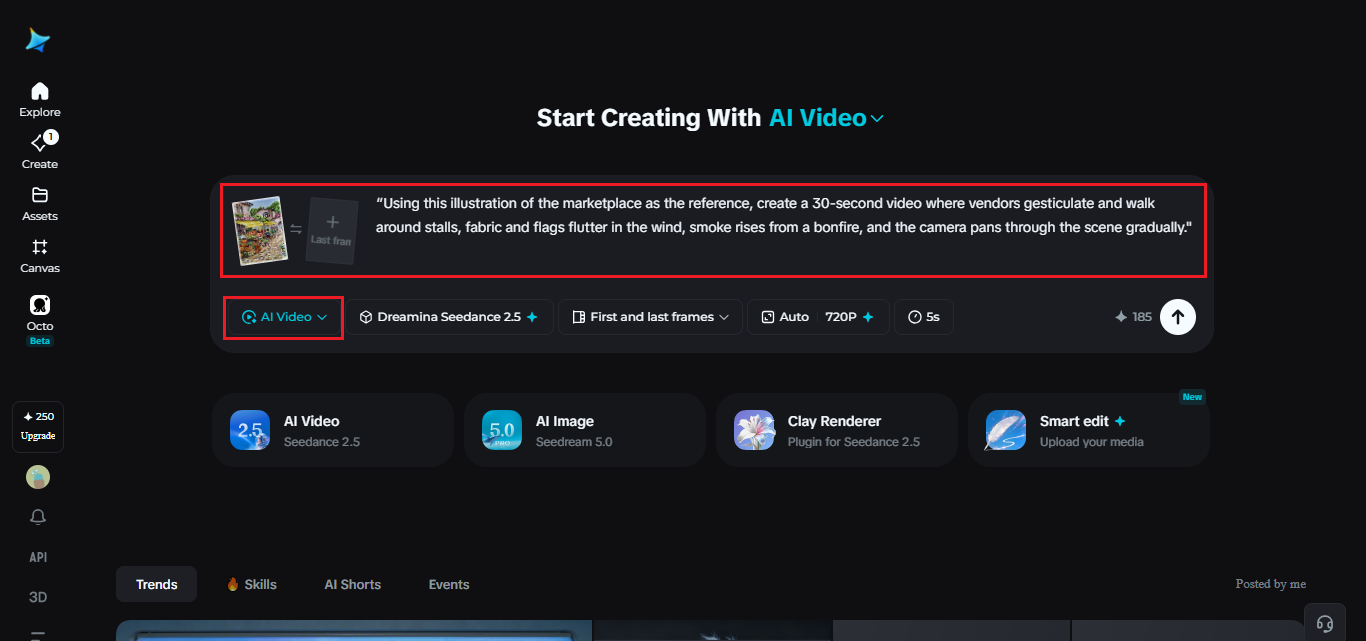
Log in to Dreamina, go to the "AI Video" tab, then select "Add reference image." There, upload your illustration and write a description of the scene you would like to see come to life.
For instance, this is how you could describe a 30-second video: "Using this illustration of the marketplace as the reference, create a 30-second video where vendors gesticulate and walk around stalls, fabric and flags flutter in the wind, smoke rises from a bonfire, and the camera pans through the scene gradually."
Step 2: Generate with Seedance 2.5
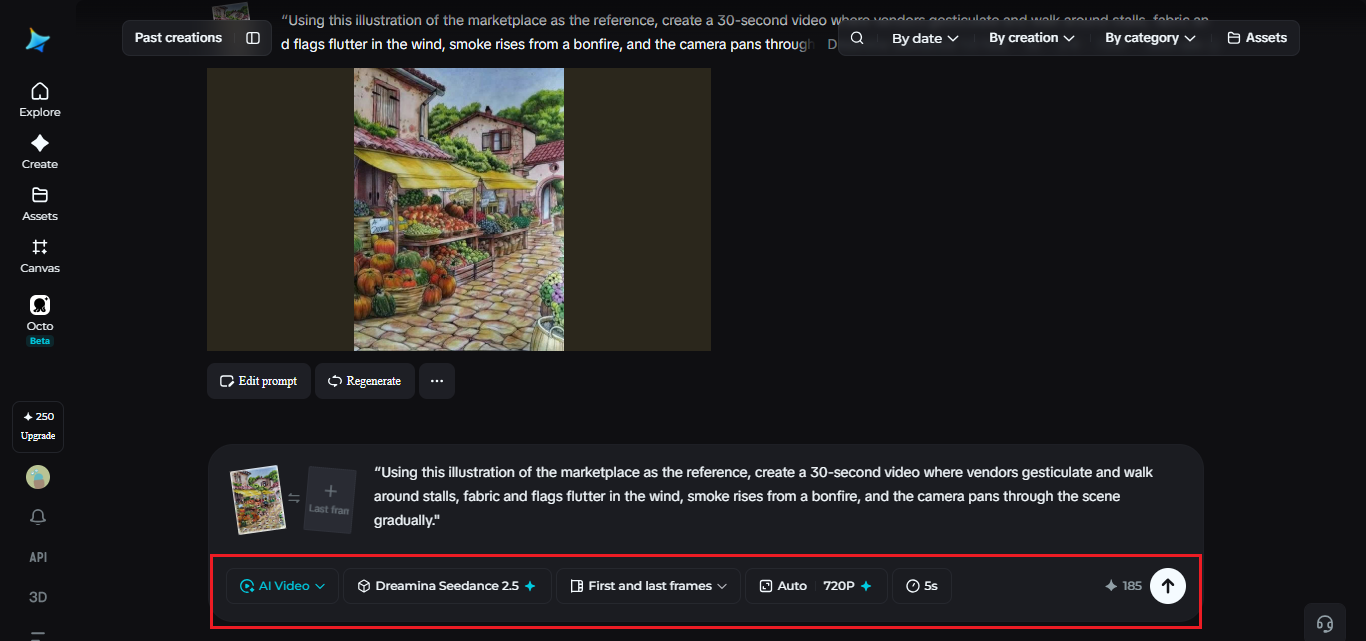
Pick the Seedance 2.5 model, set your video length, then choose an aspect ratio — 16:9 for an educational or documentary piece, 9:16 for social history content. Tap Dreamina's generate icon and let the scene take shape.
Step 3: Refine and export the finished scene
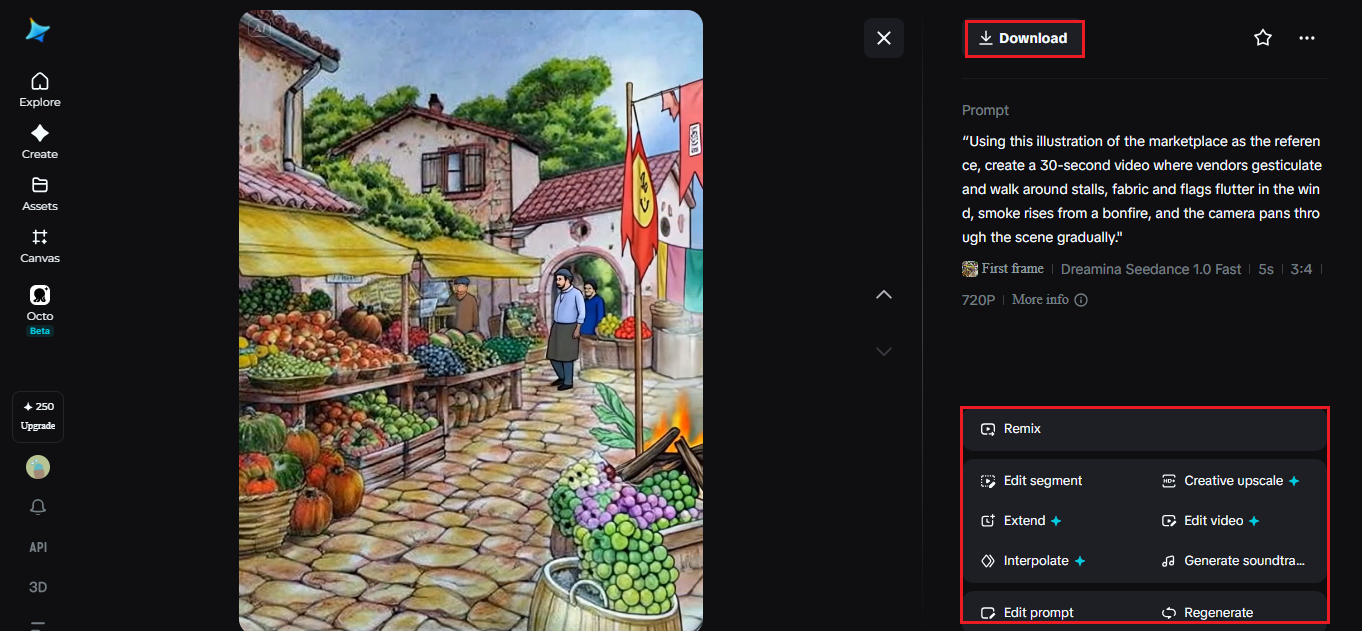
Run it through Dreamina's editing tools before saving. Upscale adds richer historical detail, Generate Soundtrack lays down a period-appropriate ambient layer, then export it for whatever project it's meant for.
What Seedance 2.5 brings to historical motion
Seedance 2.5, Dreamina's most advanced video generation model, was built to handle the kind of multi-subject, detail-heavy motion historical scenes usually demand.
Crowds that stay coherent
The recurring "twin" issue, where a single figure duplicates into look-alikes, has been addressed directly, useful in a busy market or battle scene with dozens of people moving at once.
Coordinating a lot of moving figures
Because the model reads complex references, including blockout data, it's much better at coordinating movement between many figures — genuinely hard to describe in words, no matter how detailed the prompt.
Enough room for the scene to breathe
Native generation now runs up to 30 seconds, and Ultra-long mode stretches that to 180, giving a historical moment time to actually unfold instead of getting compressed.
Period detail that doesn't look synthetic
Overall quality has improved enough that period clothing, architecture, and lighting hold up rather than looking artificial, and a single figure can be adjusted through local editing without redoing the whole scene.
Balancing accuracy with visual clarity
Historical accuracy matters, but not at the cost of a viewer actually understanding what they're looking at. If a scene depicts an unfamiliar setting or event, adding light on-screen context — a date, a location, a brief label — makes the animation far more useful for educational purposes. The goal is a scene that feels authentic to its period while still being immediately legible to someone with no prior context for what's being shown.
Writing prompts that respect the period
Naming specific details, the fabric type, the era's architecture, the tools people use, keeps the animation grounded in that period instead of defaulting to generic movement. Even a small detail, like how a garment would actually move, can shift the result noticeably.
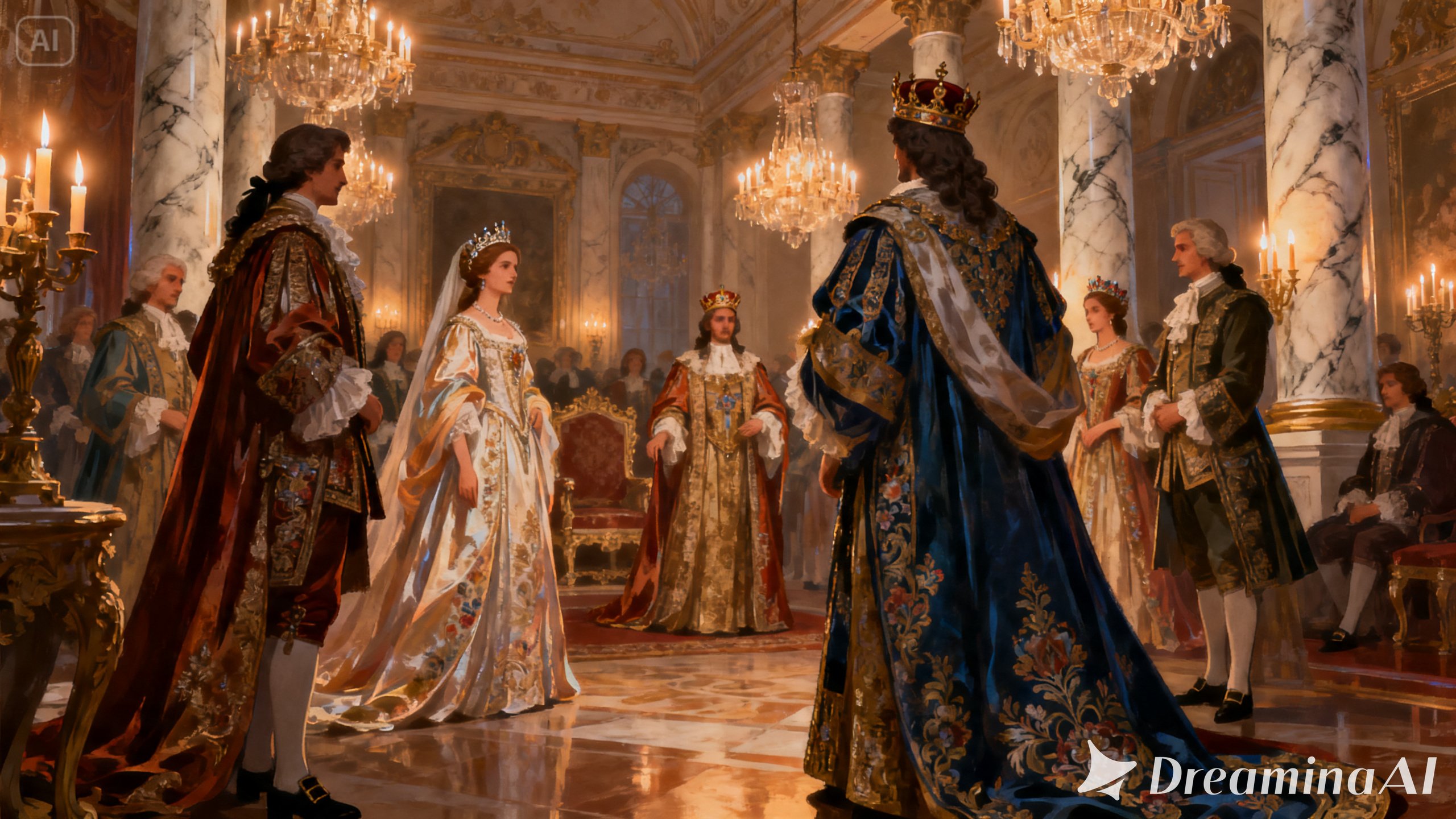
Matching the pace to the purpose
Educational content usually benefits from a slower, observational pace that gives viewers time to take in detail, while a quicker pace suits a short social clip meant to spark curiosity rather than teach in depth.
A few habits that undercut authenticity
Some choices tend to work against the effect:
- Motion that feels distinctly modern dropped into a historical setting
- A scene overcrowded with movement that becomes hard to actually follow
- Missing context, leaving a viewer unsure what period or event they're even looking at
- Uniform lighting applied where the period would have relied on firelight, candlelight, or open sky
Where this kind of content actually gets used
Educational videos, museum exhibits, documentaries, and history-focused social channels are the most common homes for this format, since a scene that moves tends to build understanding faster than a static illustration next to a wall of text.
A historical illustration was always describing something that once genuinely moved. Seedance 2.5, running through Dreamina, finally lets a viewer see it that way — closer to the past than a caption ever managed.