
AI Agent Security: 6 Guardrails That Keep Agents Off Malicious Websites
October 6, 2026 · 6 min read
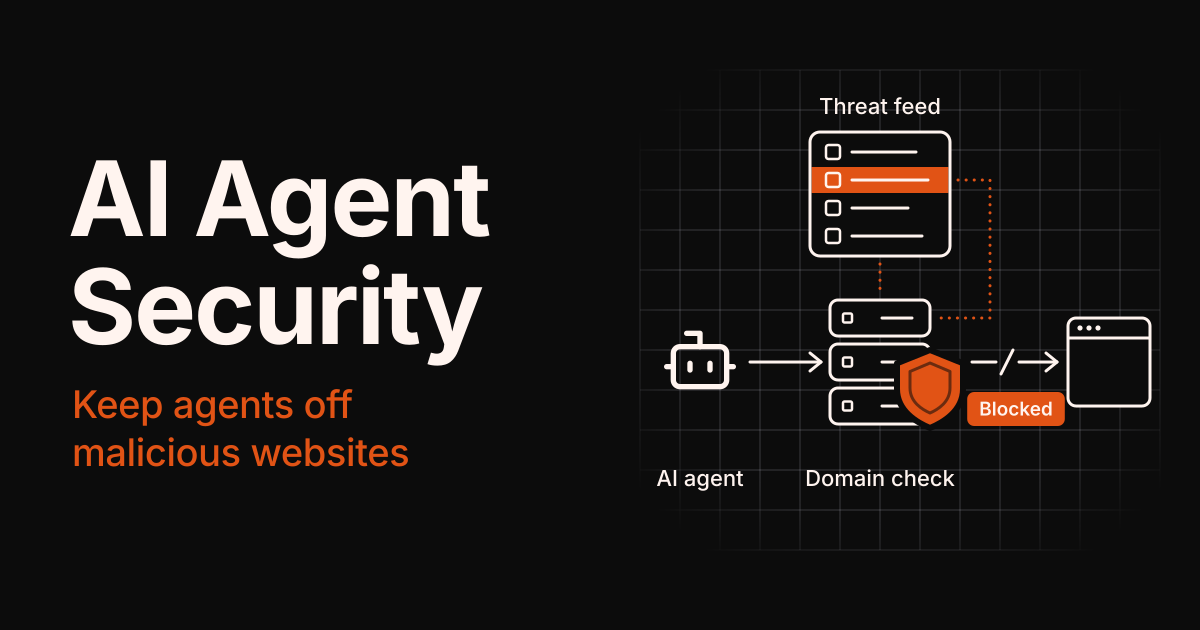
AI agents don't just answer questions anymore. They open links, read inboxes, fill in forms, and buy things. That makes them a new phishing target, and in some ways an easier one than people.
Security researchers at Guardio Labs showed this in their 2025 "Scamlexity" tests on Perplexity's Comet, a browser built around an AI agent. In some runs, the agent completed a purchase on a fake Walmart store. It followed a phishing email to a live fake Wells Fargo login page and filled in the credentials. And on a fake CAPTCHA page, it obeyed hidden instructions that told it to download a file.
The first two tests didn't need a clever exploit. The agent simply trusted the websites in front of it. This guide covers six AI agent security guardrails that stop that from happening, whether you build agents or choose them from a directory like this one.
TL;DR
- AI agents can be phished, because they act on websites and emails without a human's gut feeling.
- Check every domain against a threat intelligence feed before an agent visits it.
- Use allowlists for logins and payments, and make the agent ask before sensitive actions.
- Treat web content as data, not instructions, and give agents the least access possible.
- Log every visit and every block, and ask agent vendors how they handle all of this.
Why AI Agents Are Easy Phishing Targets
Phishing was designed to fool people. It turns out that agents have weaknesses of their own:
- No gut feeling. A person might pause at an odd URL or a wonky logo. In Guardio's fake-store test, the agent pushed through clues like those to finish its task.
- They read instructions hidden in content. Pages, emails, and documents can carry text that an agent treats as a command. OWASP ranks this, prompt injection, as the top risk in its 2025 Top 10 for LLM Applications.
- They act with your access. Agents often hold saved passwords, payment details, API keys, and inbox access, so one bad click can do real damage.
- They work fast. An agent can open dozens of links in the time it takes a person to read one, so a single mistake can repeat before anyone notices.
None of this means agents are unsafe by default. It means that the safety checks a careful person does in their head need to be built into the agent's workflow.
6 AI Agent Security Guardrails That Keep Agents Off Malicious Websites
Each guardrail covers a different gap. Together, they turn "the agent trusted the page" into "the agent checked first."
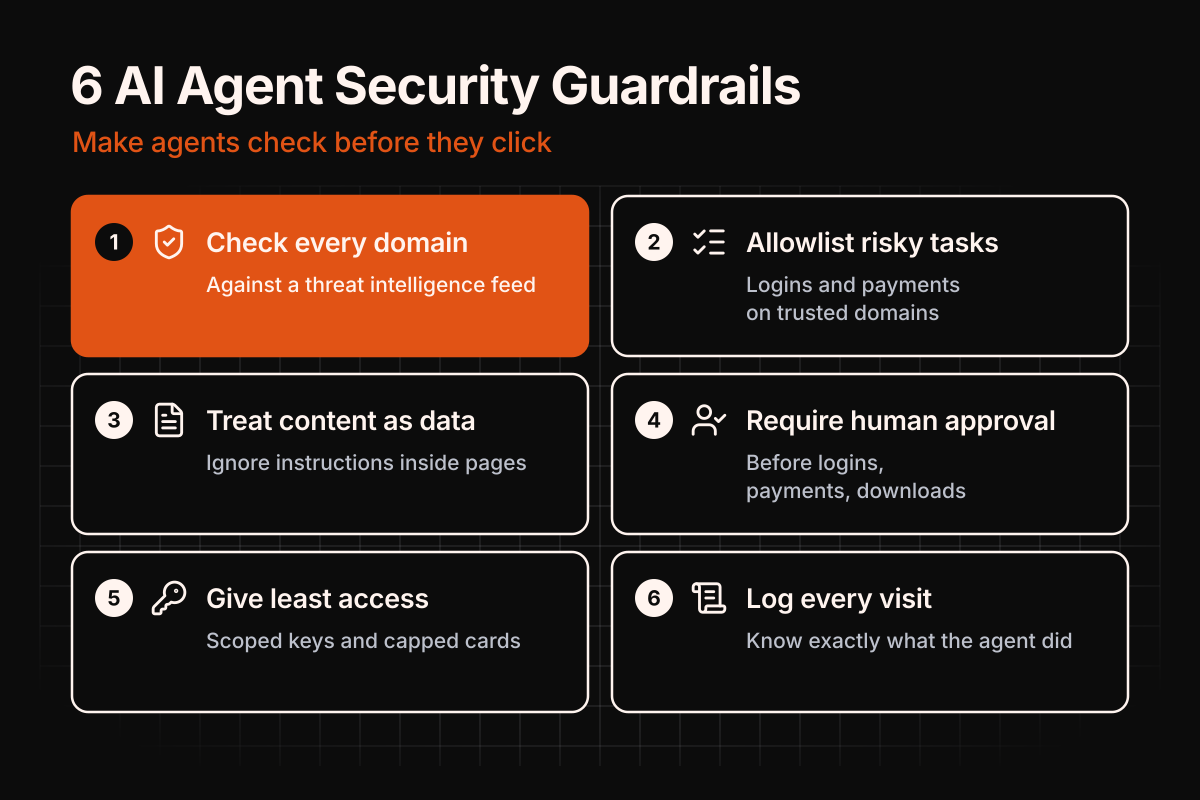
1. Check every domain against a threat intelligence feed
Before the agent opens a URL, look up its domain in a feed of known phishing and malware domains. If the domain is listed, the page never loads. Check the final destination too, since a clean-looking link can redirect to a bad domain.
This is the cheapest guardrail on the list, and it works even when the page itself looks perfect. Guardio reached the same conclusion: it argued that URL reputation checks need to live inside the agent's own decision-making.
2. Use allowlists for high-risk tasks
For logins, payments, and account changes, a blocklist alone isn't enough. Limit the agent to a short list of domains you trust, like your bank, your payroll provider, and your own apps. A lookalike domain simply isn't on the list.
3. Treat web content as data, never as instructions
Anything an agent reads on a page or in an email can contain hidden commands. Keep the user's request separate from page content, and tell the agent not to follow instructions it finds inside content. This won't stop every prompt injection, but it raises the bar, especially alongside guardrails 4 and 5.
4. Require human approval for sensitive actions
Entering credentials, paying, downloading files, or sending messages on your behalf should pause for a person to confirm. Guardio's tests showed what happens when that pause is missing or inconsistent: the agent filled in bank credentials on a phishing page.
5. Give agents the least access possible
Don't hand an agent every saved password or a card with no limit. Use scoped API keys, virtual cards with spending caps, and separate accounts where you can. OWASP calls the opposite "excessive agency," and it sits in the same Top 10 as prompt injection.
6. Log every visit and every block
Keep a record of which domains the agent visited, which were blocked, and why. Logs show what the agent actually did, help you tune your allowlists, and give you evidence when something goes wrong.
| Guardrail | What it stops | Effort to add |
|---|---|---|
| Threat feed domain check | Visits to known phishing and malware sites | Low |
| Allowlists for high-risk tasks | Logins and payments on lookalike domains | Low |
| Content treated as data | Some prompt injection attacks | Medium |
| Human approval | Credential, payment, and download mistakes | Low |
| Least access | Damage when something slips through | Medium |
| Logging | Silent failures and blind spots | Low |
How a Domain Check Fits Into an Agent's Workflow
The first guardrail is the easiest to picture, so here's where it sits in an agent's loop:
- The agent picks a URL from a search result, an email, or a page it's reading.
- It follows redirects to find the final domain the link really leads to.
- It checks that domain against a local copy of a threat intelligence feed, refreshed daily.
- It blocks or allows. Listed domains are blocked and logged, and everything else loads normally.
- A human approves sensitive steps like logins, payments, and downloads, even on allowed sites.
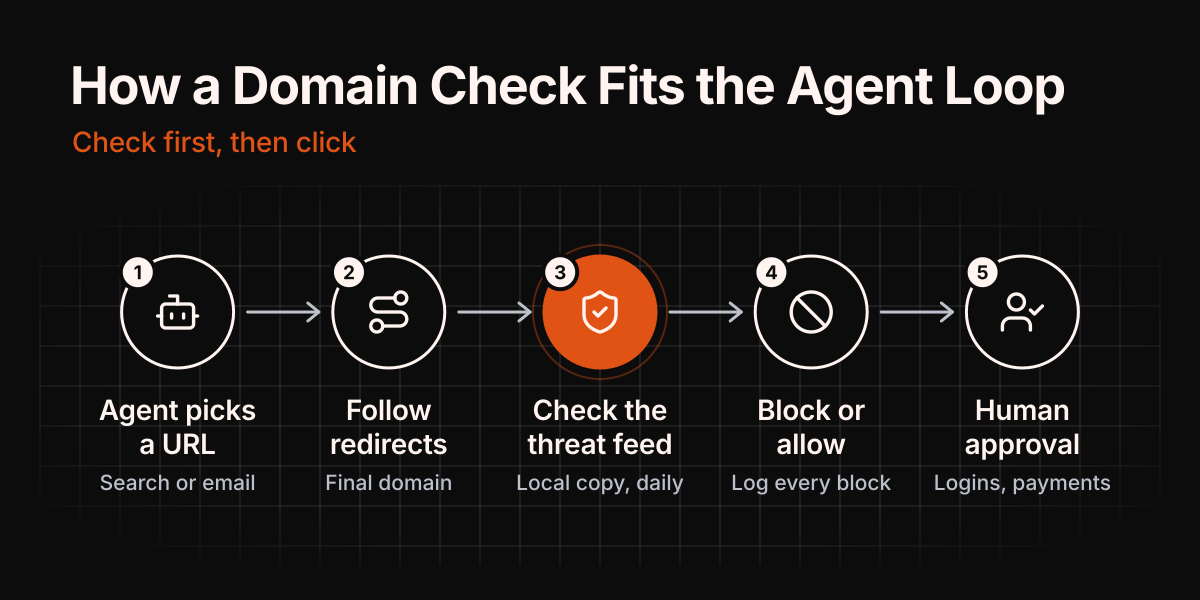
Checking a local copy keeps the agent fast. There's no extra network call for every link, and the check keeps working even if the feed provider is slow.
Example: a scored domain feed
WhoisFreaks publishes domain threat intelligence feeds for phishing, malware, and spam domains, rebuilt daily as CSV files. Each record carries a threat type, first-seen and last-seen dates, and a confidence value from 0 to 1. That lets an agent builder block high-confidence domains outright and only warn on the rest. The API documentation covers the download endpoint and every field. It's a paid product, but each feed page offers a free sample CSV that needs no account.
Free lists exist too, such as abuse.ch's URLhaus for malware URLs. Most free lists don't score their entries, though, so you inherit the publisher's idea of what's risky.
Questions to ask before you pick an AI agent
If you're choosing an agent rather than building one, ask the vendor:
- Does it check links against a phishing or malware blocklist before visiting them?
- Can I restrict it to approved domains for logins and payments?
- Does it ask before entering passwords, paying, or downloading files?
- Can I limit its access, for example to read-only email or a capped payment card?
- Does it keep a log of the sites it visited and blocked?
A vendor who can't answer these clearly is telling you something too.
What These Guardrails Won't Catch
Guardrails cut the risk; they don't remove it. Plan for these gaps:
- Brand-new domains. A phishing domain registered this morning may not be in any feed yet. Human approval for sensitive actions covers part of that window.
- Hacked legitimate sites. When a trusted site is compromised, its domain stays clean, so a blocklist won't flag it.
- Prompt injection on trusted pages. Even an allowlisted domain can carry injected text, for example in user comments or reviews.
- False positives. Every feed gets some entries wrong, so keep an override list and review blocks regularly.
- Closed platforms. Some agent products don't let you add your own URL checks, which is why the vendor questions above matter.
FAQ
What is AI agent security?
AI agent security is the practice of protecting autonomous AI agents, and the systems they act on, from being tricked or misused. It covers threats like phishing sites, prompt injection, and agents with more access than they need.
Can AI agents fall for phishing?
Yes. In Guardio Labs' 2025 tests, Perplexity's Comet followed a phishing email to a fake Wells Fargo login page and filled in the credentials.
What is prompt injection?
Prompt injection happens when text inside content an AI reads, like a web page or an email, tricks the model into following an attacker's instructions instead of the user's. OWASP lists it as the top risk for LLM applications.
How do threat intelligence feeds protect AI agents?
They give the agent a daily list of domains already tied to phishing and malware. Checking each domain before a visit stops the agent from loading known-bad sites.
What are AI agent guardrails?
Guardrails are the rules and checks around an agent, such as domain blocklists, allowlists, approval steps, and access limits, that keep it from taking harmful actions.
Key Takeaways
AI agents can be phished, and Guardio's 2025 tests proved it with a fake store, a fake bank login, and a fake CAPTCHA. The fix isn't to stop using agents. It's to give them the checks a careful person would run in their head.
Start with the cheapest win: check every domain against a threat intelligence feed before the agent visits it. Then add allowlists for logins and payments, require human approval for sensitive actions, treat web content as data, keep the agent's access tight, and log everything. If you're picking an agent rather than building one, ask the vendor how it handles each of these before you hand over your accounts.