
Achieve Complete Surface Coverage Through 2D to 3D Multiple Image Inputs Feature
June 23, 2026 · 5 min read
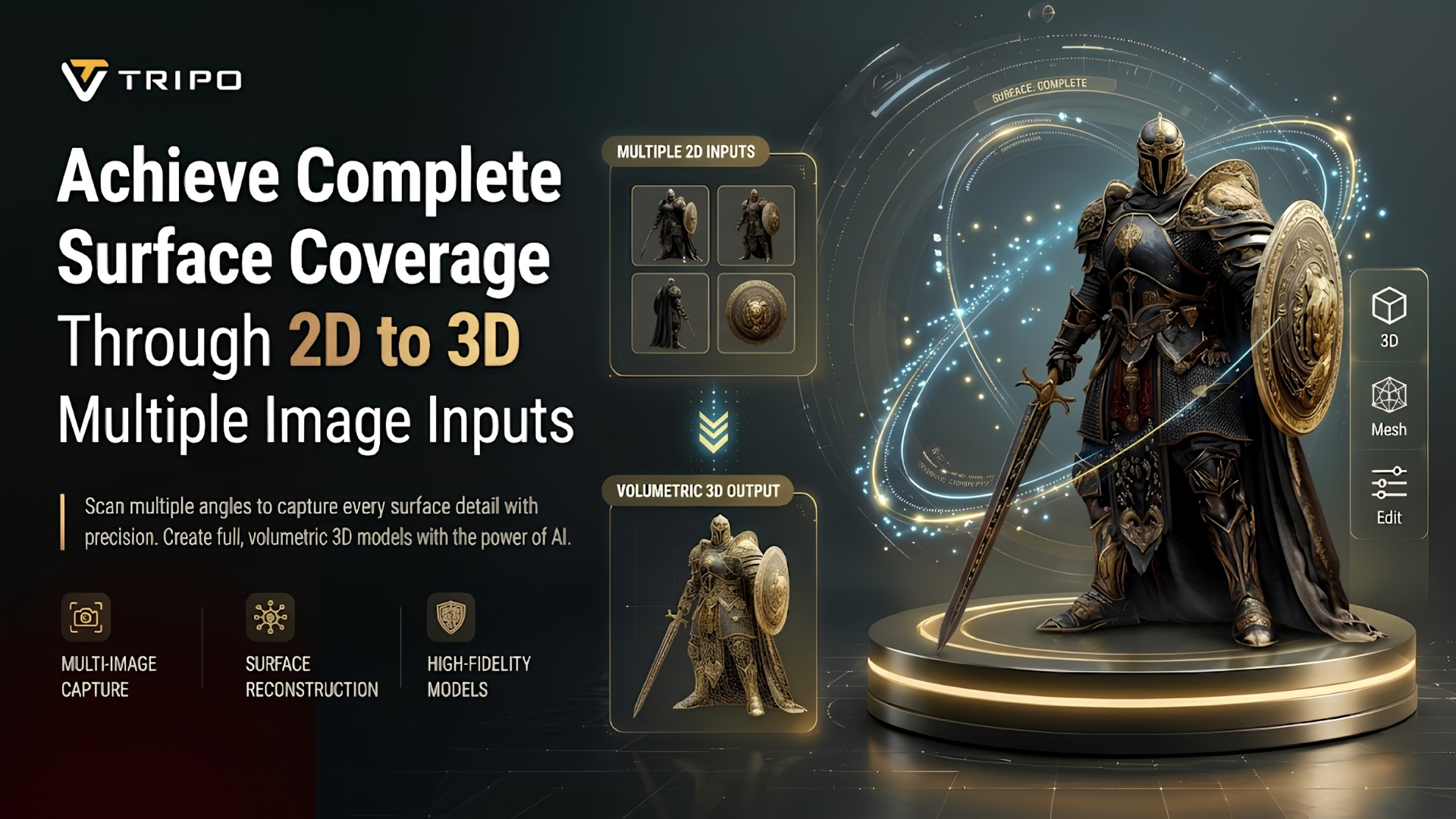
Precisely interpreting the surface from the flat image is a key aspect of modern 3D creation workflows. Single images can't always reveal hidden spaces and depth. To fill those gaps, multi-view input strategies are employed to give more structural information. The reconstruction process in Tripo 3D can combine multiple images to create cohesive 3D assets. This can improve geometry reconstruction, texture mapping, and model consistency for complex objects and scenes.
Understanding Multi-View 2D to 3D Reconstruction
Multi-view reconstruction combines a set of images taken from different angles of a single object. This approach provides a broader spatial understanding than a single image can offer. Each additional image in a 2d to 3d workflow provides depth cues, structural information, and surface continuity signals. Using this information, Tripo 3D can infer missing geometry and improve proportional consistency. This process reduces uncertainty in hidden areas and improves overall structural interpretation. The system combines visual consistency between views to generate more coherent and easier-to-edit 3D assets for downstream use.
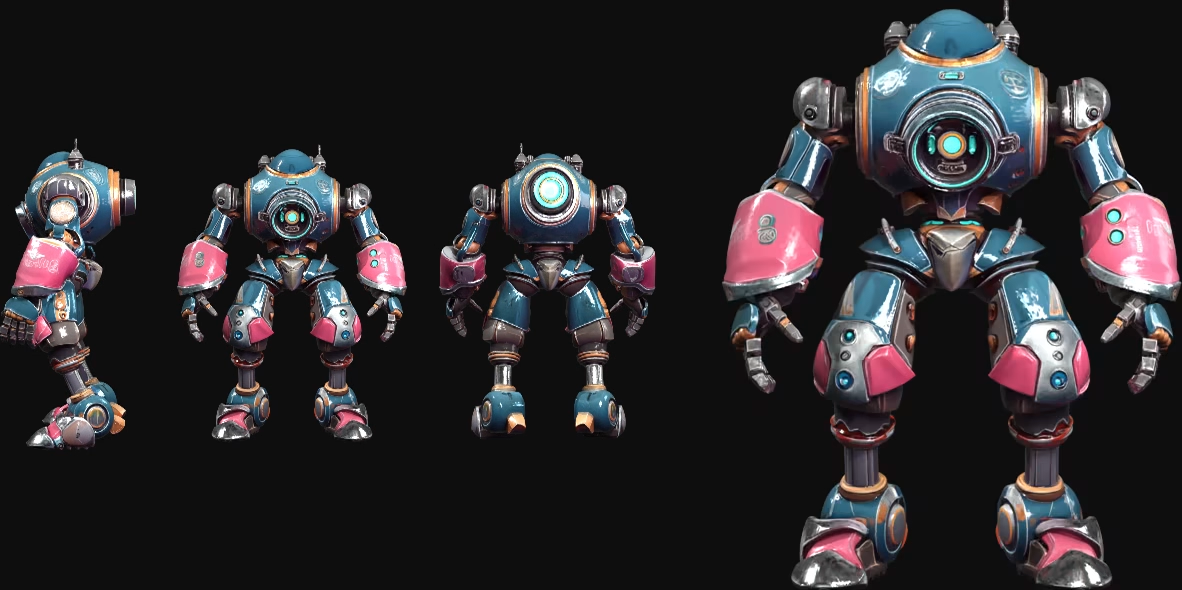
How Additional Views Improve Surface Coverage
Additional views improve surface reconstruction by revealing areas that may be hidden or unavailable in a single image. When several views are provided, occlusion issues are reduced, allowing Tripo 3D to infer more complete object boundaries. Side, top, and angled inputs provide additional spatial information and help complete geometric details. Each perspective contributes information about curves, edges, and depth transitions across the model. This multi-angle method can improve mesh density and reduce gaps in the reconstruction process. This leads to more balanced surface coverage, supporting cleaner topology and improved visualization quality for downstream tasks.
Why Tripo 3D Benefits from Multiple Reference Images
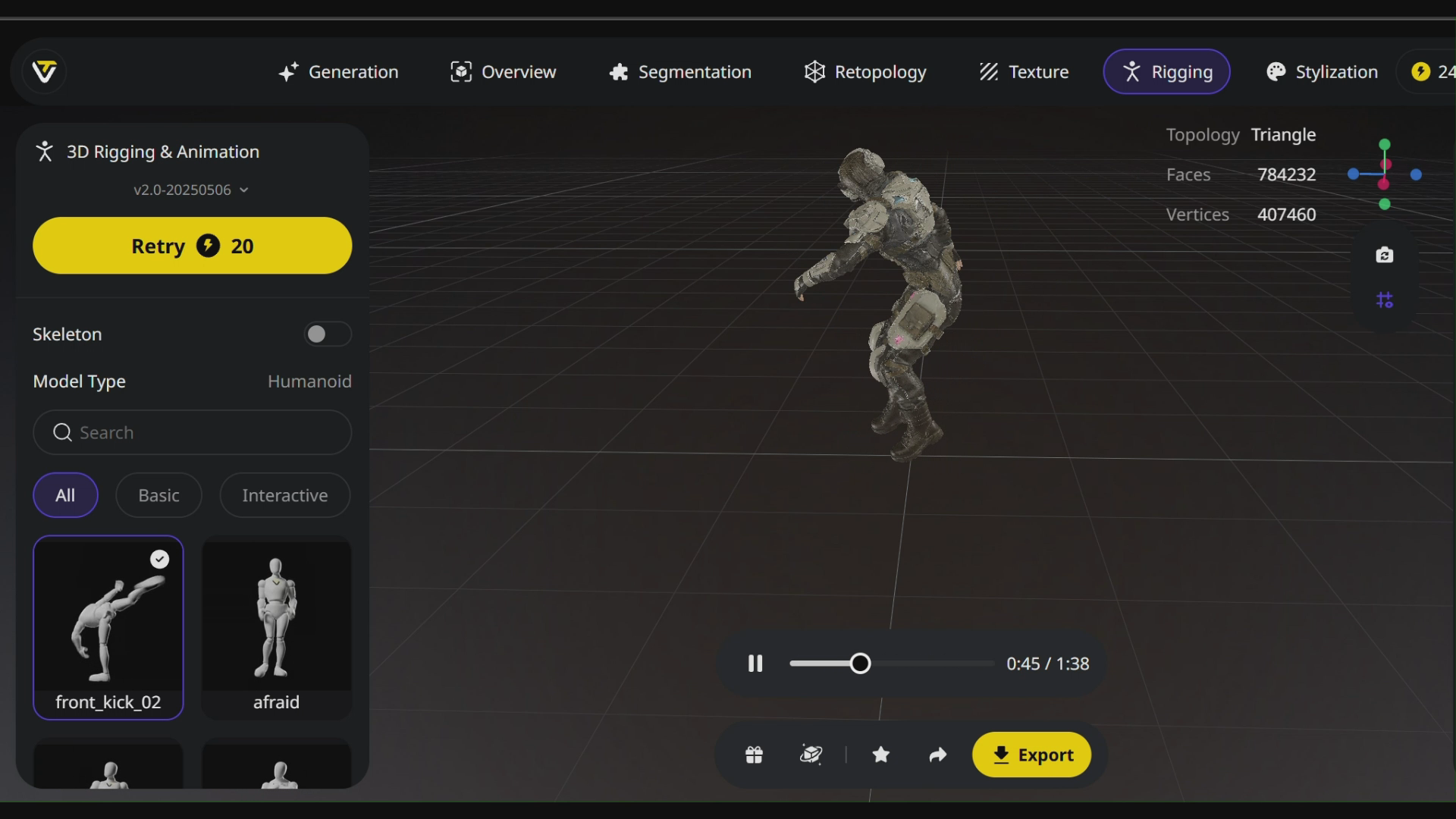
To improve structural consistency in generated models, Tripo 3D uses several reference images. Each input contributes additional form information and helps improve dimensional alignment. This can reduce distortion in complex objects with hidden or overlapping features. Multiple viewpoints can help the system organize topology more effectively. It can also improve surface continuity by maintaining more consistent texture flow across angles. With auto rigging, clearer deformation behavior and skeletal alignment can be achieved in the workflow. This can make models more suitable for animation, simulation, or interactive use with fewer manual adjustments.
Steps to Achieve Complete Surface Coverage Through 2D to 3D Multiple Image Inputs
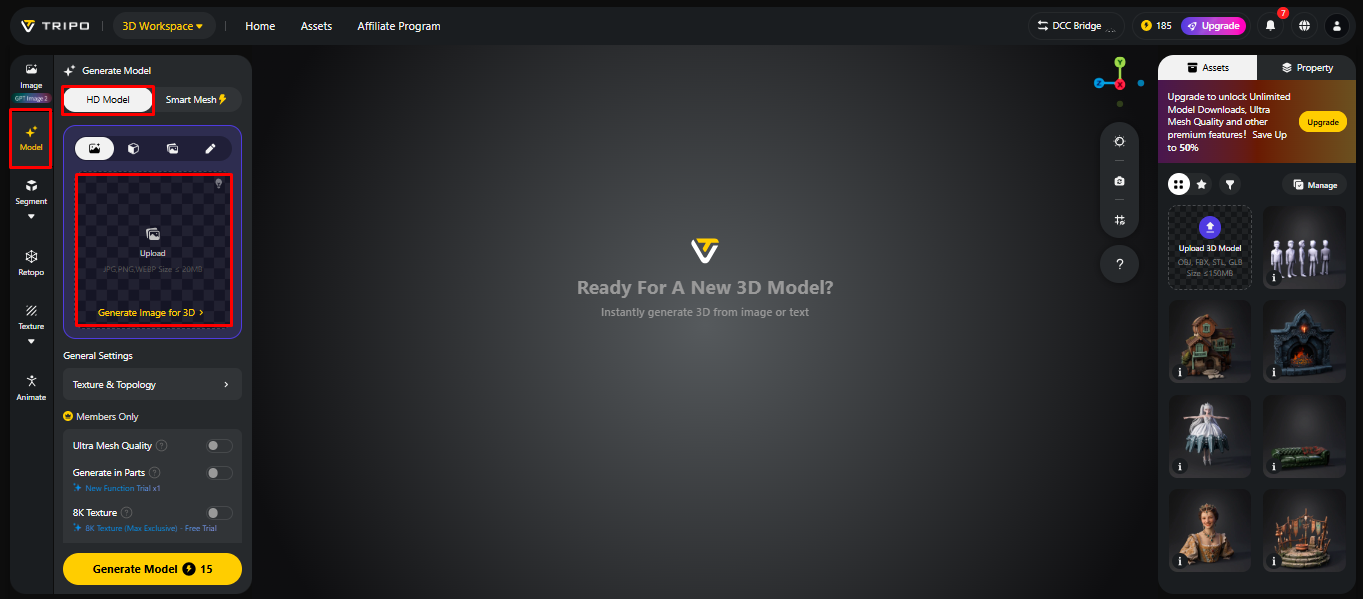
Step 1: Import Images from Different Angles
- First, you need to access Tripo 3D and signup. Next, go to the "Model" tab present in the vertical left menu bar.
- Under the menu, click on the "HD Model".
- You can drag and drop to upload the image, or you can also upload the image from a specific location of your device using the "Upload" tab.
Step 2: Optimize Settings for Full Surface Generation
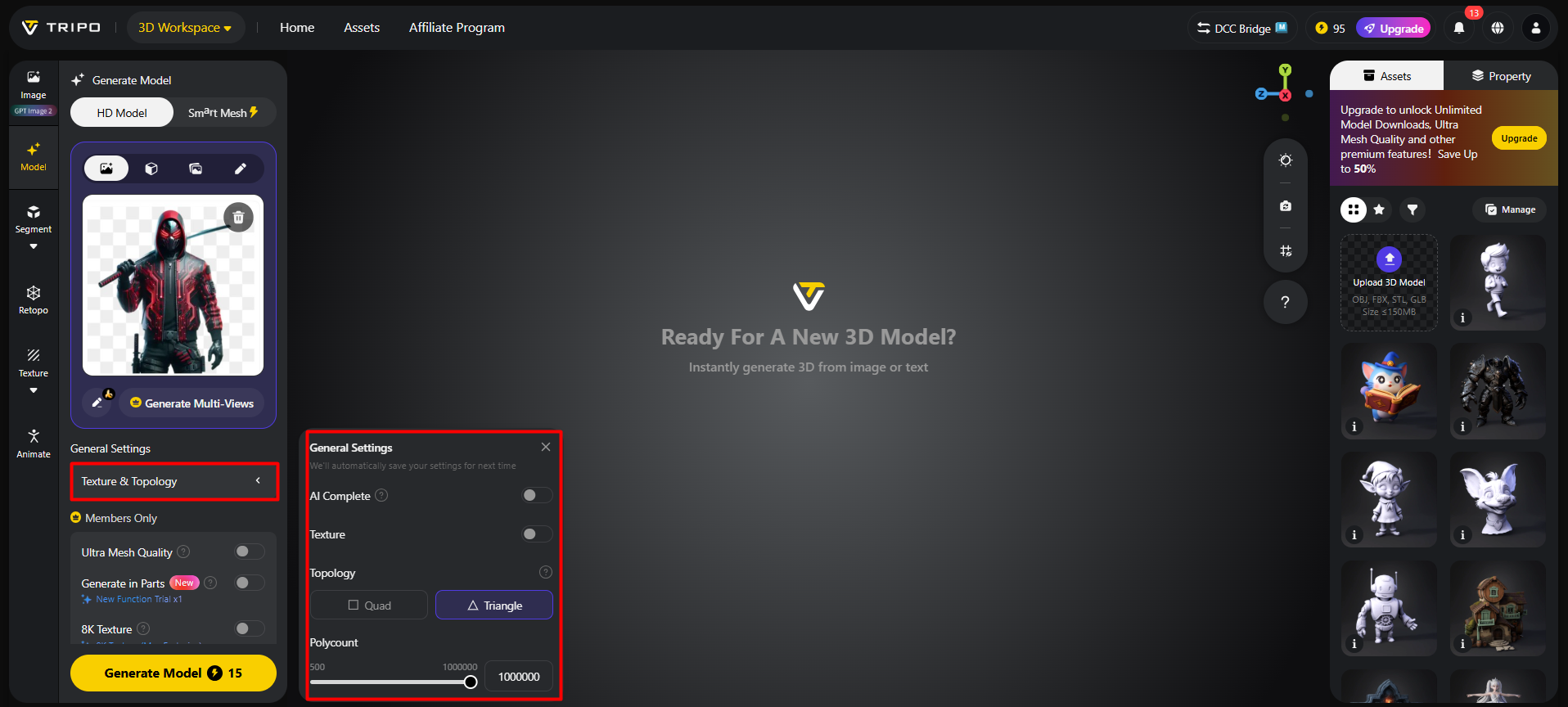
- Under the "General settings" tab, you can either allow the AI to completely generate on its own by switching "AI complete". Or you can turn on texture and select the custom "Texture Quality" like 2K, 4K, or 8K.
- You can also turn on "PBR" for accurate material reflective properties.
- For better topology characteristics, select either "Quad" or "Triangle" topology.
- You can also set the custom polycount.
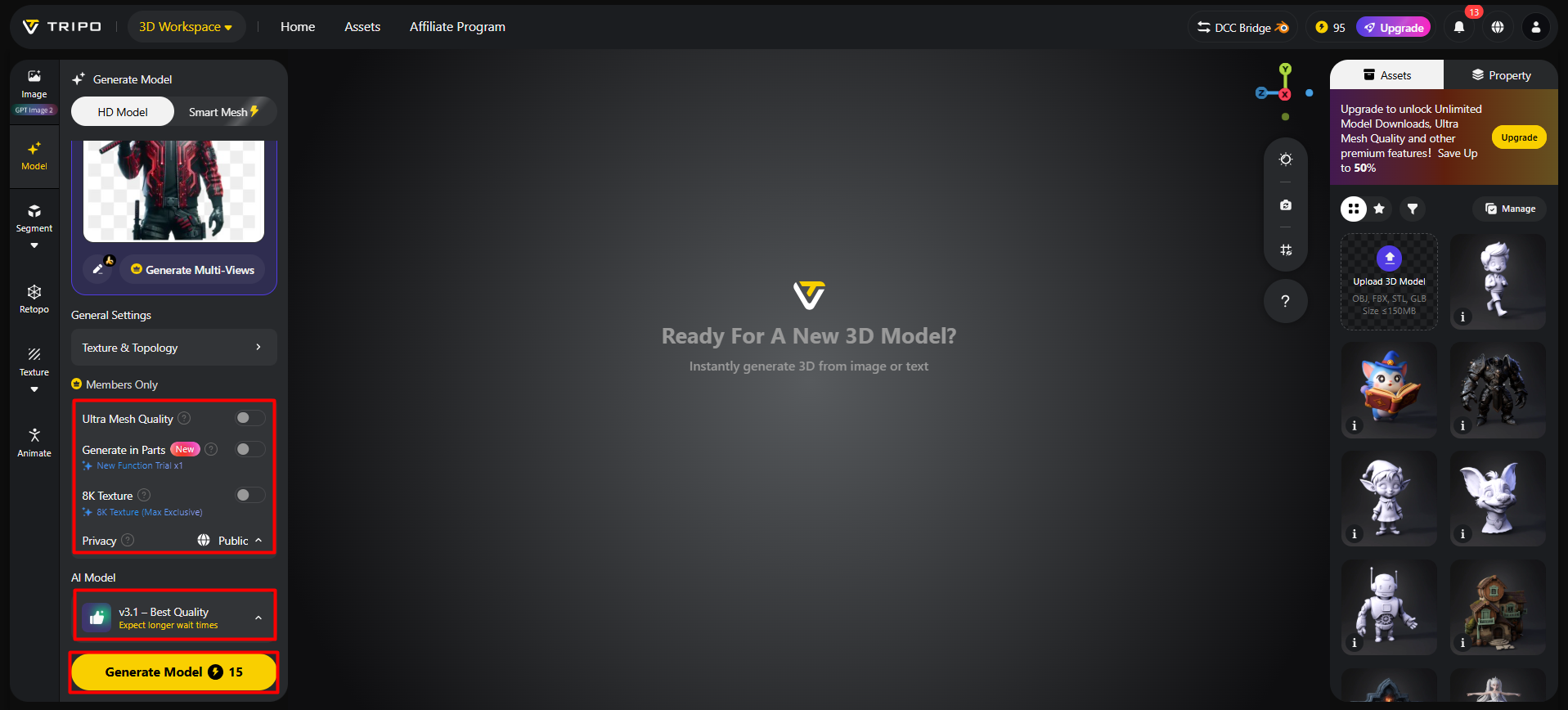
- Later choose the model from the list, including v3.1 best quality, v3.0 fast and balanced, or v2.5 legacy.
- If you are a member, then you can choose "Generate in Parts", "8K Texture", and "Privacy" options.
- Finally, click on the "Generate Model" to begin generation.
Step 3: Examine Surface Details and Export the Model
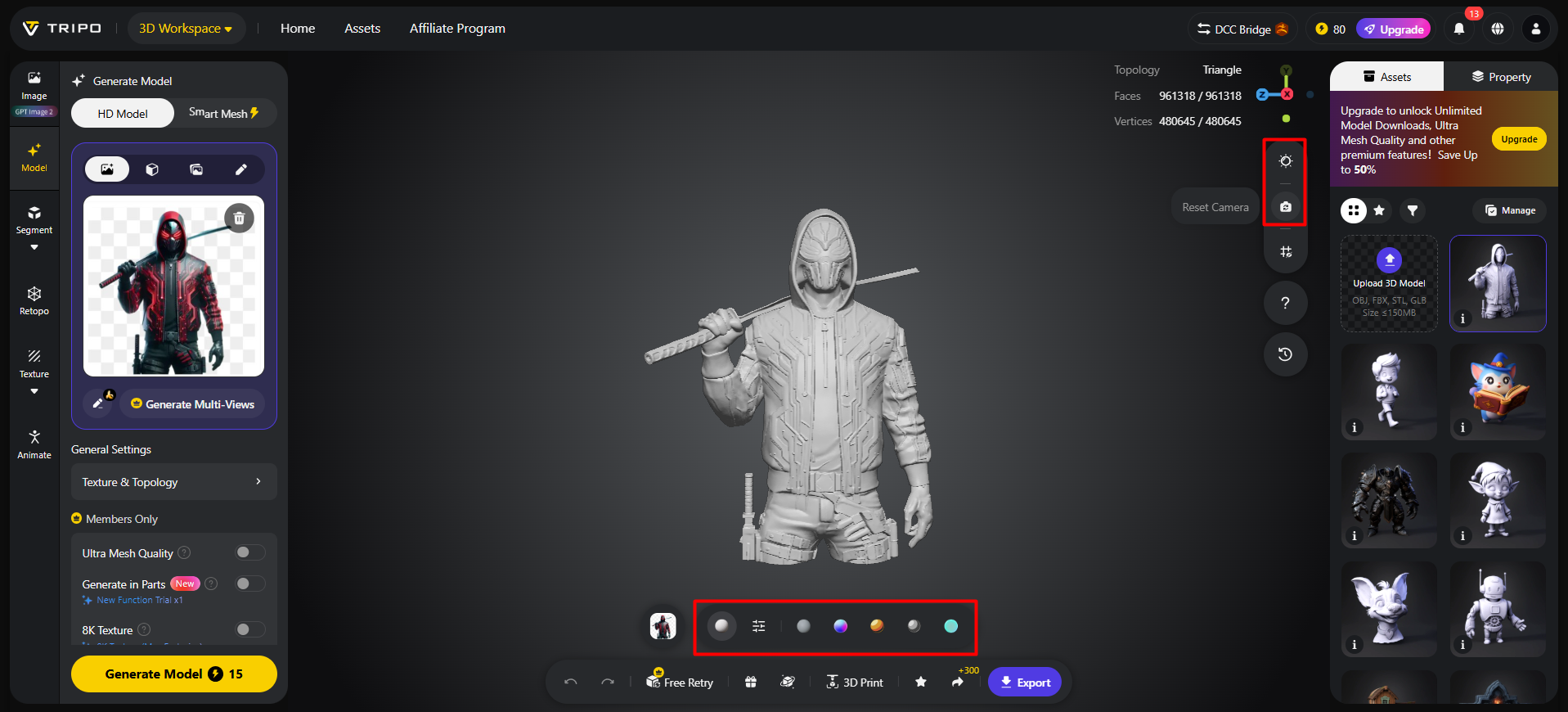
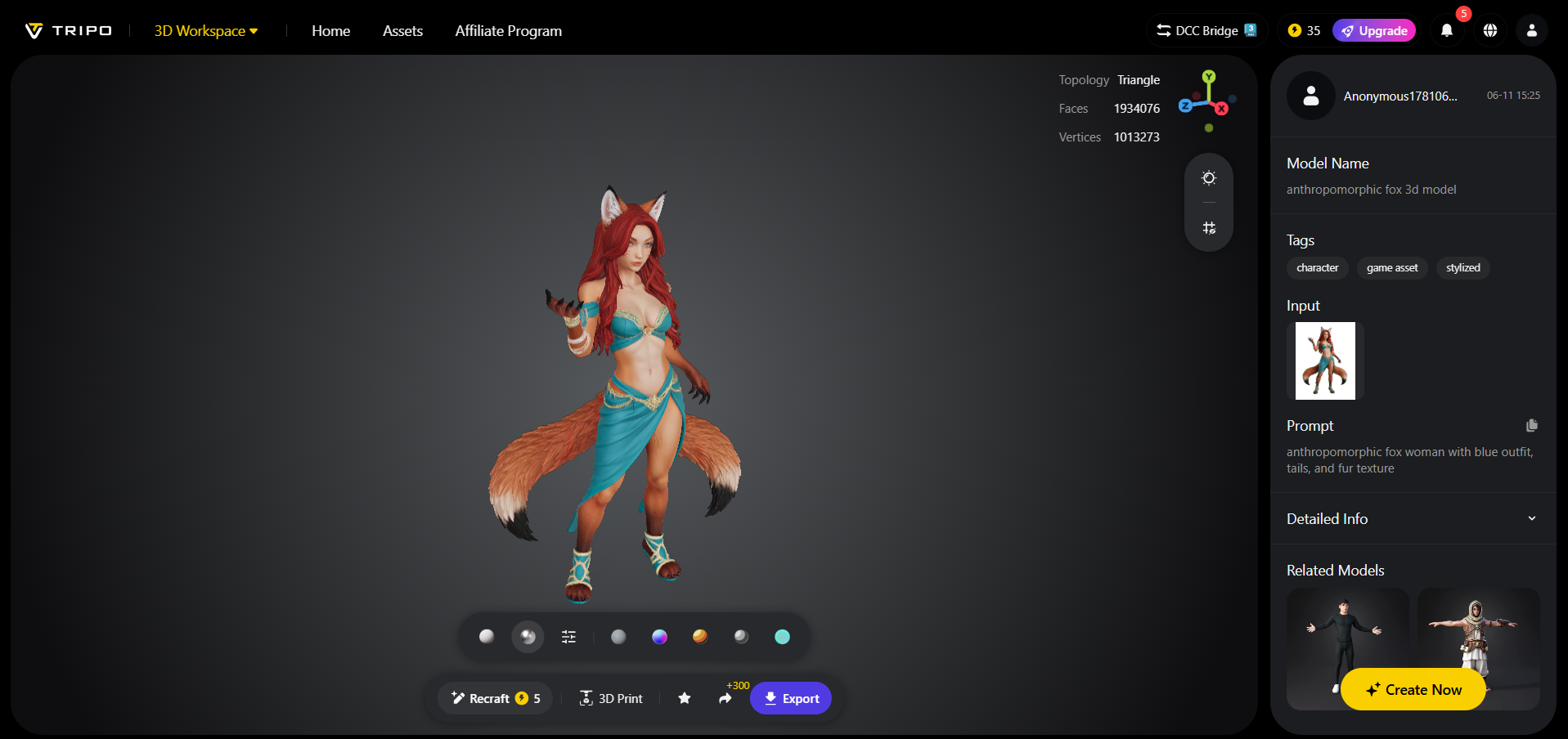
- Tripo 3D allows you to completely view your model in the style you want. Key styles include "Solid View", "Cartoon Style", "Sketch Style", "Hologram Style", and "Unlit" form. You can also "Refine" your design right through the bottom menu.
- You can also edit the "Environment Settings" and camera settings through "Reset Camera".
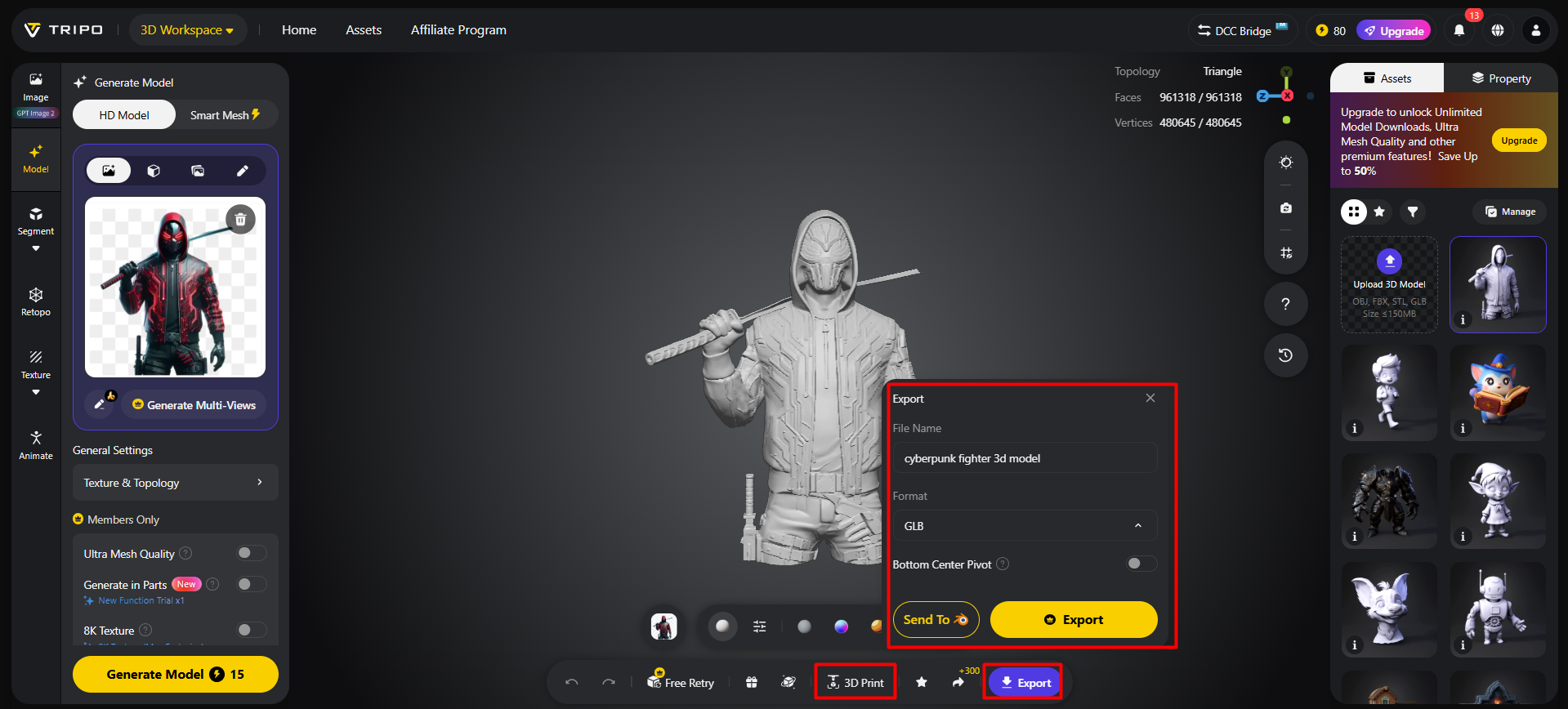
- You can 3D print the design you want, or you can share it directly by clicking "3D Print".
- In the end, click on the "Export" tab from the bottom menu. Next, choose the resolution, format, and filename, and click again on "Export" to save the design to your local device.
Recommended Image Angles for Better Coverage
- The front view is a good way to define primary object structure and proportions clearly.
- Rear view reveals geometry and finishes back-facing surfaces.
- Side view is used to gain an understanding of width, curves, and side detailing.
- Right-side view enhances the validation of symmetry and structural balance.
- The top perspective enhances the vertical alignment and the accuracy in depth estimation.
- Angled perspective provides spatial cues and enhances surface continuity knowledge.
Benefits of Complete Surface Coverage
Fewer areas of missing geometry in complex regions can contribute to higher reconstruction accuracy with full surface coverage. It improves consistency between observed structures and inferred model geometry. Multi-view synthesis can support topology generation and dimensional balancing in Tripo 3D. This can support more stable editing workflows while reducing manual corrections. It also supports advanced visualization applications such as rendering and simulation. More extensive coverage can result in more complete assets for animation, product design, and interactive environments, depending on input quality and settings.
Multi-View Inputs That Deliver Strong Reconstruction Results
Multi-view inputs are more likely to yield effective reconstruction when used strategically in complementary views. Front and back images establish core dimensions and shape consistency. Side views reveal hidden geometry and structural details through depth variation. Top views are useful for analyzing vertical proportions and spatial alignment. Angled photographs provide combined spatial cues that can improve surface continuity across different regions of the model. When realism is not required, illustration sets and concept art collections can assist image interpretation. These combined inputs can improve geometry reconstruction and reduce ambiguity among complex forms in different object categories.
Mesh Quality Improvements Through Multiple Inputs
Multiple reconstruction inputs can significantly improve mesh quality. Greater overlap between views generally supports more consistent topology, while limited overlap can introduce structural ambiguity. Dimensional balance is strengthened through cross-referenced spatial cues from different angles. Surface definition becomes more stable, allowing smoother transitions across edges and curves. Tripo 3D uses these inputs to generate geometry with reduced distortion and improved consistency. Better mesh organization and vertex distribution provide greater editing flexibility. The free 3d models also support downstream modifications such as texturing, deformation, and scene integration across various applications before further development decisions are made.
Conclusion
Multi-view reconstruction provides a better understanding of depth and more complete surface representation in 3D assets. Tripo 3D uses AI-based analysis to combine multiple inputs and create structured geometry. This method reduces missing areas and improves dimensional consistency across the model, supporting improved editing and visualization capabilities. The goal of multi-image strategies is to support more flexible and detailed creation of 3D assets from 2D visual inputs.