

Palmier Pro
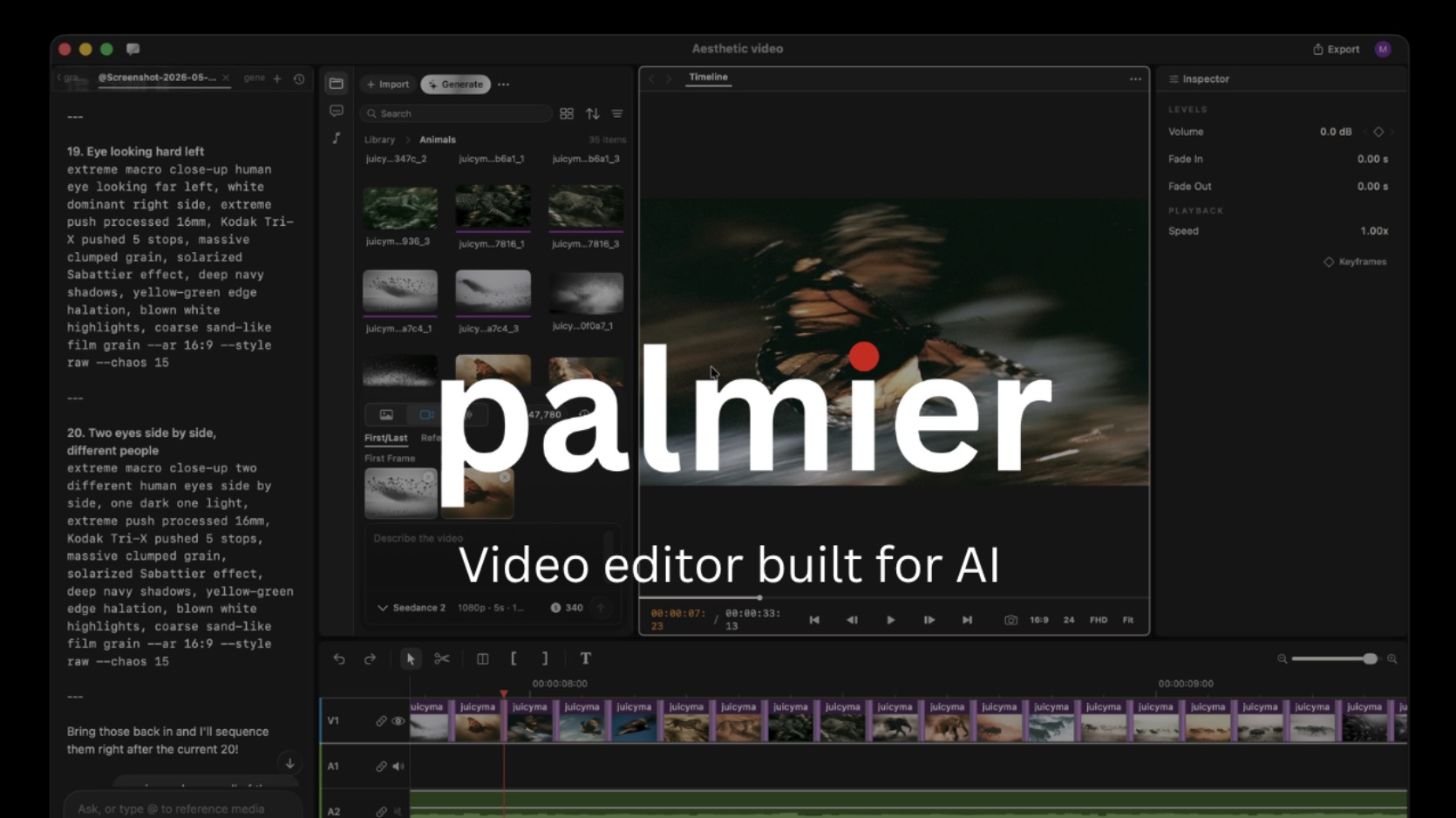
Overview
Open-source macOS video editor built for AI workflows, with MCP integration for Claude, Codex, Cursor, and an in-app agent.
Palmier Pro is an open-source video editor for Mac, described by its official GitHub repository as a macOS video editor built for AI. It is built from scratch with Swift and is designed around timeline-based video editing with AI-assisted workflows. The project supports built-in generative AI for generating videos and images with models referenced by the project, including Seedance, Kling, and Nano Banana Pro. Palmier Pro also integrates with external coding and assistant tools through an MCP server exposed by the app at a local HTTP endpoint when the app is open, with documented connection instructions for Claude Code, Codex, Cursor, and Claude Desktop. The repository is public and licensed under GPL-3.0. The app requires macOS 26 Tahoe on Apple Silicon.
AI Agent Store research
What the evidence says about Palmier Pro
Palmier Pro is best understood as an AI-oriented macOS video editor rather than a standalone agent. The checked repository presents Palmier Pro as a video editor built for AI on macOS.
Last reviewed July 30, 2026
Verified capabilities
- AI media production
The checked repository presents Palmier Pro as a video editor built for AI on macOS.[1]
Where it fits best
- Editing video on a compatible Apple Silicon Mac with an AI-oriented desktop editor.[1]
Buying and deployment notes
Deployment: Source repository[1]
Sources and research method (1)
We record only claims tied to public sources checked by our team or listing workflow. Counts above are derived directly from this profile, not a subjective rating.
- GitHub - palmier-io/palmier-pro: macOS video editor built for AI · GitHubGitHub · checked 2026-07-30
Autonomy level
49/100
Our subjective rating of how independently the product carries out its documented tasks, considering the human setup, input, approval and review it needs. This is not a measured success rate.
Comparisons
Custom Comparisons
Some of the use cases of Palmier Pro:
- Editing video projects on macOS with AI-assisted timeline workflows
- Connecting Claude, Codex, Cursor, or Claude Desktop to a video editing project through MCP
- Generating videos and images inside a video editor timeline
- Experimenting with an open-source Swift-native video editor built for AI workflows
- Collaborating with an in-app agent while editing video projects
Loading Community Opinions...
Pricing model:
Code access:
Popularity level: 73%
Tags:
Palmier Pro Video:
Turn this profile into a trust signal
Show prospects that Palmier Pro has a public place where they can check product details, pricing, ratings, and reviews.
Build confidence
Give buyers a third-party profile to explore.
Reduce hesitation
Put validation beside your strongest CTA.
Earn discovery
Every badge links prospects to your listing.
Choose your style
Preview it, then copy the complete embed code.
Shows buyers where to validate your product, pricing, and reputation.
Plain HTML. No signup, script, or maintenance required.
Describe the job. Get an AI worker you can actually message.
We create the setup, keep it running after your laptop closes, and save its memory. Test in the browser, then add Telegram, WhatsApp, or Slack.
Plans start at $29/month. Cancel anytime.
Hosted agent
OpenClaw or Hermes