
AI Video Generators Compared: Features, Strengths, and Best Use Cases
7 min read
The advent of artificial intelligence technology has made video making much faster, easier, and cheaper. Editing and video-making tasks that earlier needed professional video editing skills can now be done within minutes through the use of AI-enabled software. Such innovations have made high-quality video making possible for business organizations, marketers, and creators.
There are several types of video generators that can enable the user to generate videos from text, scripts, images, and blog posts. In addition, the software is capable of performing other functions such as providing AI voiceover, avatar, subtitles, stock media, and video editing. This guide aims to examine different features of various AI video generators and recommend the most suitable platform.
What Are AI Video Generators?
AI video creators refer to software programs that leverage the capabilities of artificial intelligence to facilitate automatic creation of videos. Rather than having to edit each video frame one at a time, all that is required of the user is to input text, scripts, pictures, or any other content, and the AI creates a video.
This eliminates numerous redundant tasks and allows faster production of professional videos compared to regular video editing software. AI video generators are commonly used for:
- Marketing videos
- Product advertisements
- Social media content
- YouTube videos
- Educational tutorials
- Business presentations
- Employee training videos
- Sales outreach
- Customer support videos
With the advancements in AI technology, video generation has become much more realistic and engaging.
Why AI Video Generators Are Becoming So Popular
Companies and creatives are using AI-based video production technologies since they greatly cut down on production costs and save precious time. Some of the major benefits are as follows:
- Faster video creation. Rather than taking hours to edit clips, AI can create full-length videos in a matter of minutes.
- Reduced production costs. It is unnecessary to pay actors, camera crews, voice talents, or editors for numerous kinds of videos.
- Constant content generation. Companies generating videos on a regular basis can do so without overburdening their creative team.
- Easy for beginners. Most AI video generators require little or no editing experience. Their intuitive interfaces make them suitable for users of all skill levels.
- Improved scalability. There are many ways to produce a variety of video versions for various audiences, languages, and social media platforms without much effort from the marketing team.
Key Features to Look for in an AI Video Generator
But not all video generator tools are equally functional. One has to examine which features would be most suitable for their needs.
- Text-to-Video Creation: The basis of any AI video generator is text-to-video creation. The user only needs to formulate an idea, and then the program creates visual material accordingly.
- AI Voiceovers: AI's natural-sounding voice will bring your videos to life and eliminate the necessity to make voiceovers manually.
- AI Avatars: One of the options of many platforms is creating digital presenters for making tutorials, business presentations, and other kinds of videos.
- Templates: The use of pre-made templates can assist in simplifying video creation and producing high-quality videos, even for beginners.
- Automatic Subtitles: Automatic subtitles will enhance accessibility and engagement with videos on platforms like YouTube, TikTok, Instagram Reels, and LinkedIn.
- Media Library: Free use of ready-made videos, images, animations, and music will decrease the necessity of using additional sources.
- Editing Tools: Background removal, scene transition, object tracking, and AI editing are some examples of advanced editing tools.
- Export Options: Your videos should be available for various resolutions and aspect ratios for different social networks.
- Collaboration: For businesses, collaborative workspaces are quite beneficial.
Comparing the Leading AI Video Generators
Each video generator based on AI has specific advantages. To choose the best one, you should consider your needs and level of experience.
Loova
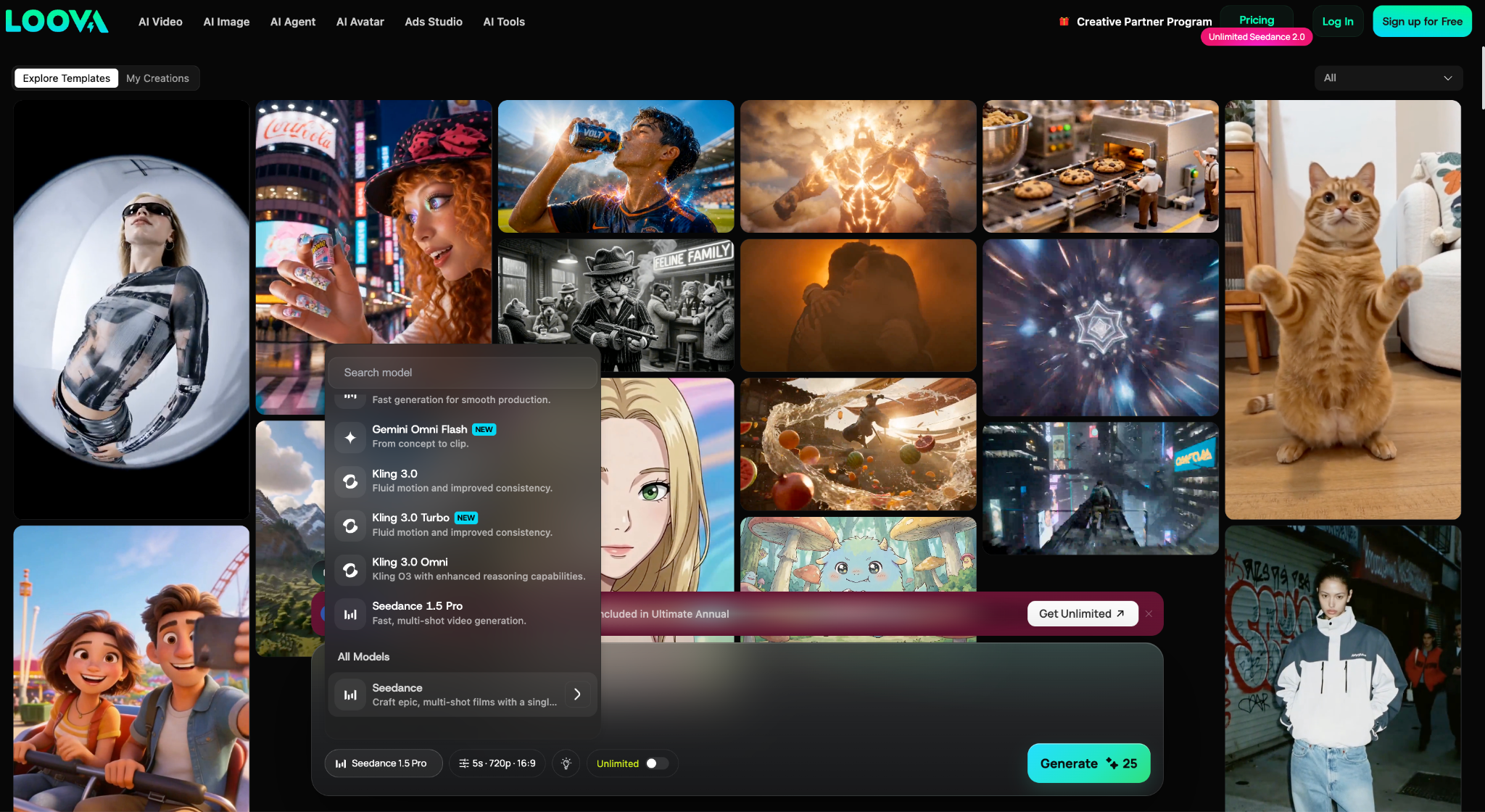
Loova specializes in helping business people and marketers create professional videos easily and efficiently. This video generator includes AI image and video generation, AI Agent, voiceover, video editing, avatars, and exporting.
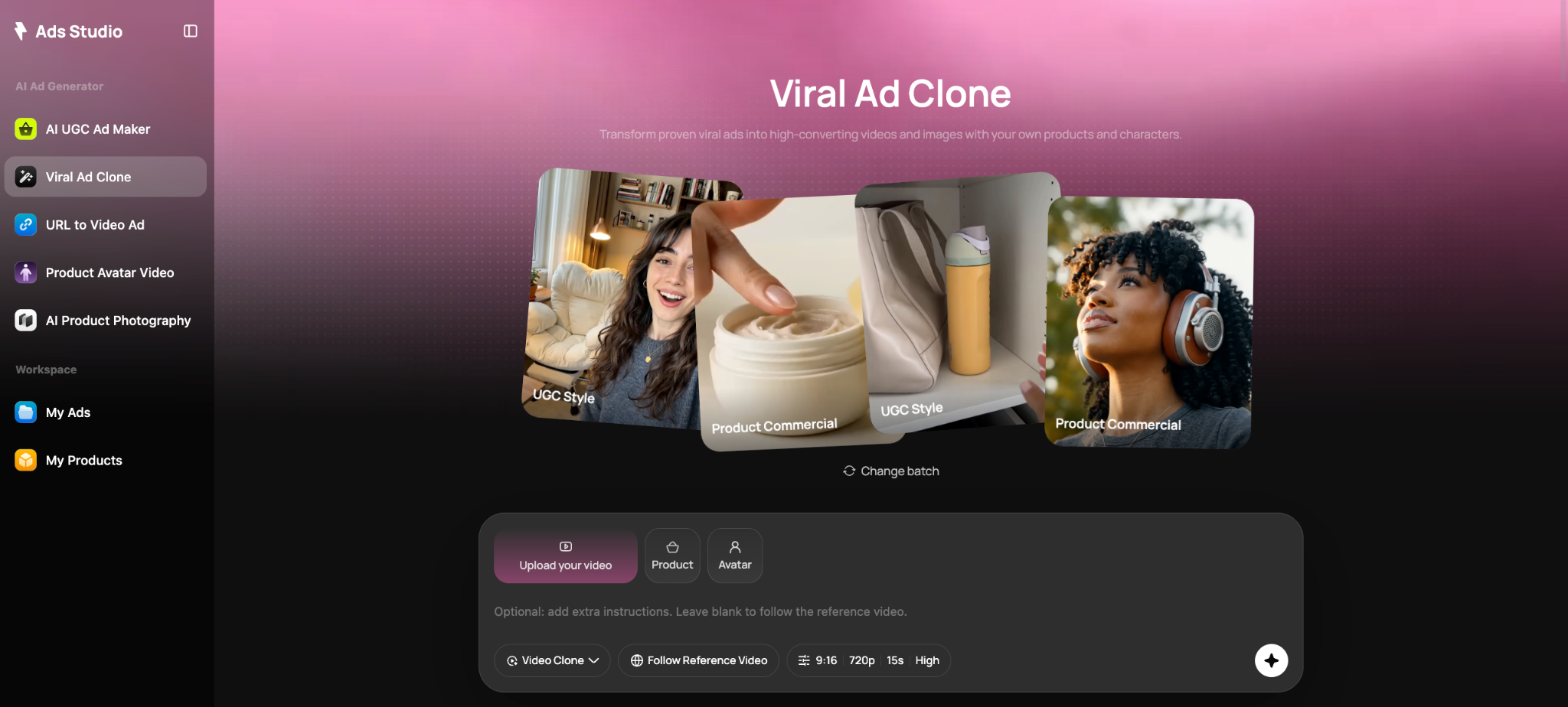
Its user-friendly interface lets you convert your blog posts or any other text into videos using only minimal video editing skills. Loova works particularly well for:
- Marketing campaigns
- Product demonstrations
- Social media advertisements
- UGC-style videos
- Promotional content
- Educational videos
Its combination of automation, user-friendliness, and professional quality is a great choice for users looking for an easy way to produce videos.
Runway
Runway has established itself as one of the most well-known AI video tools among creatives. In contrast to many other tools that emphasize automation, Runway offers intelligent editing possibilities.
Popular features include:
- Background removal
- Motion tracking
- AI object removal
- Video expansion
- Image generation
- Visual effects
The application Runway is designed specifically for filmmakers, graphic designers, and agencies who need more control in their creative endeavors.
Pika
Pika is known to offer creative videos through AI. One can create creative scenes through text, which makes Pika very useful for artistic storytelling and video creation experiments. Some common users of Pika include:
- Digital artists
- Content creators
- Social media influencers
- Creative agencies
Pika emphasizes visual creativity over business-focused production.
Synthesia
Synthesia is known for the realistic AI Avatars and videos that can be created in multiple languages. Some common business applications for Synthesia include:
- Employee onboarding
- Corporate training
- Internal communication
- Educational courses
- Product demonstrations
It supports a variety of languages, which makes it very suitable for international companies.
HeyGen
HeyGen focuses on personalized communication through AI avatars and voice cloning technology. Key capabilities include:
- AI presenters
- Voice cloning
- Lip synchronization
- Personalized outreach videos
- Sales presentations
Sales teams and marketing professionals often use HeyGen to create customized videos that improve engagement with potential customers.
InVideo AI
The InVideo AI editor utilizes AI scripting alongside a vast library of templates, stock media, and automation-based editing tools. It is designed for users who release their creations continuously on different platforms. Some typical uses of InVideo AI include:
- YouTube videos
- Blog-to-video conversion
- Marketing campaigns
- Explainer videos
- Social media content
The extensive template library makes it especially beginner-friendly.
AI Video Generator Comparison Table
| Platform | Best For | Main Strength |
|---|---|---|
| Loova | Marketing & Social Media | Fast AI-powered video creation |
| Runway | Professional Editing | Advanced AI editing tools |
| Pika | Creative Projects | Artistic text-to-video generation |
| Synthesia | Business Training | Realistic AI avatars |
| HeyGen | Personalized Videos | Voice cloning and avatars |
| InVideo AI | YouTube & Marketing | Templates and automation |
The Future of AI Video Creation
Artificial Intelligence is constantly growing. The next version of Loova video creator is expected to make even more realistic images, improve storytelling, improve avatar creation, voice synthesis, and increase personalization.
AI will be used by companies more and more to create personalized marketing campaigns, multilingual content, educational videos, and customer communication. The emergence of generative AI ensures that the gap between AI videos and conventional videos will become minimal. As far as content creators are concerned, this implies enhanced speed, minimized costs, and opportunities to produce engaging videos for different platforms.
Which AI Video Generator Is Best for Different Use Cases?
Everyone has their own goals, and hence the decision about which platform to use is dependent on those goals.
-
Marketing Campaigns: Companies making marketing videos and commercials like platforms that concentrate on speed, automation, and professionalism.
-
Social Media Videos: People who post videos on TikTok, Instagram Reels, Facebook, and YouTube Shorts need fast generation, vertical videos, captions, and eye-catching videos.
-
Onboarding Videos: Companies producing onboarding/training videos need real-looking AI hosts and the ability to produce videos in multiple languages.
-
Storytelling: Filmmakers and artists normally value flexibility, visual effects, and editing, rather than automation.
-
YouTube Content Production: YouTubers tend to value platforms with templates, AI scripts, stock footage, subtitles, and fast editing.
Pros and Limitations of AI Video Generators
Like any technology, AI video generators offer both advantages and limitations.
Advantages
- Faster production
- Lower costs
- Beginner-friendly
- Consistent branding
- Scalable content creation
- Improved productivity
- Multilingual support
- Automatic voiceovers
Limitations
- Some videos still require manual editing
- Advanced customization may be limited
- Subscription costs vary
- AI-generated visuals may occasionally require refinement
- Certain creative projects still benefit from professional editing
Conclusion
AI video generators are becoming increasingly sophisticated and provide better automation and realistic output. With further improvements in the sphere of artificial intelligence, one can expect quicker work processes, higher video quality, and more personalized content generation. These technological advancements have made professional video production more accessible maybe a bit too accessible.
Choosing the proper AI video generator requires taking into consideration the objectives of creating videos and the budget available. Evaluating the features, usability, adaptability, and the nature of the output that these AI video generators produce is a rational approach towards selecting one that suits your needs.
Frequently Asked Questions
What is an AI video generator?
It is software that uses AI technology to generate videos from a text input, script, image, blog post, etc., while automatically performing video editing tasks.
Which AI video generator is better for beginners?
The platform that has a user-friendly interface, AI automation, templates, and the least manual editing is recommended for beginners. It should enable them to produce professional videos without the need to learn video editing.
Can I use an AI video generator for my business marketing?
Yes. Many businesses use AI video generators to make ads, product promotion videos, training videos, presentations, social media campaign videos, customer relations videos, etc.
Are AI-generated videos good for YouTube and social media?
Yes. Most AI video generators now offer different aspect ratios and export formats compatible with all major social media sites, including YouTube, Instagram, TikTok, Facebook, and LinkedIn.
Does an AI video generator require editing skills?
No. The majority of AI video generator platforms are designed for beginners in video editing. They automate the process of scripting, editing, voiceover, and exporting to produce professional videos.