

LiteLLM
Overview
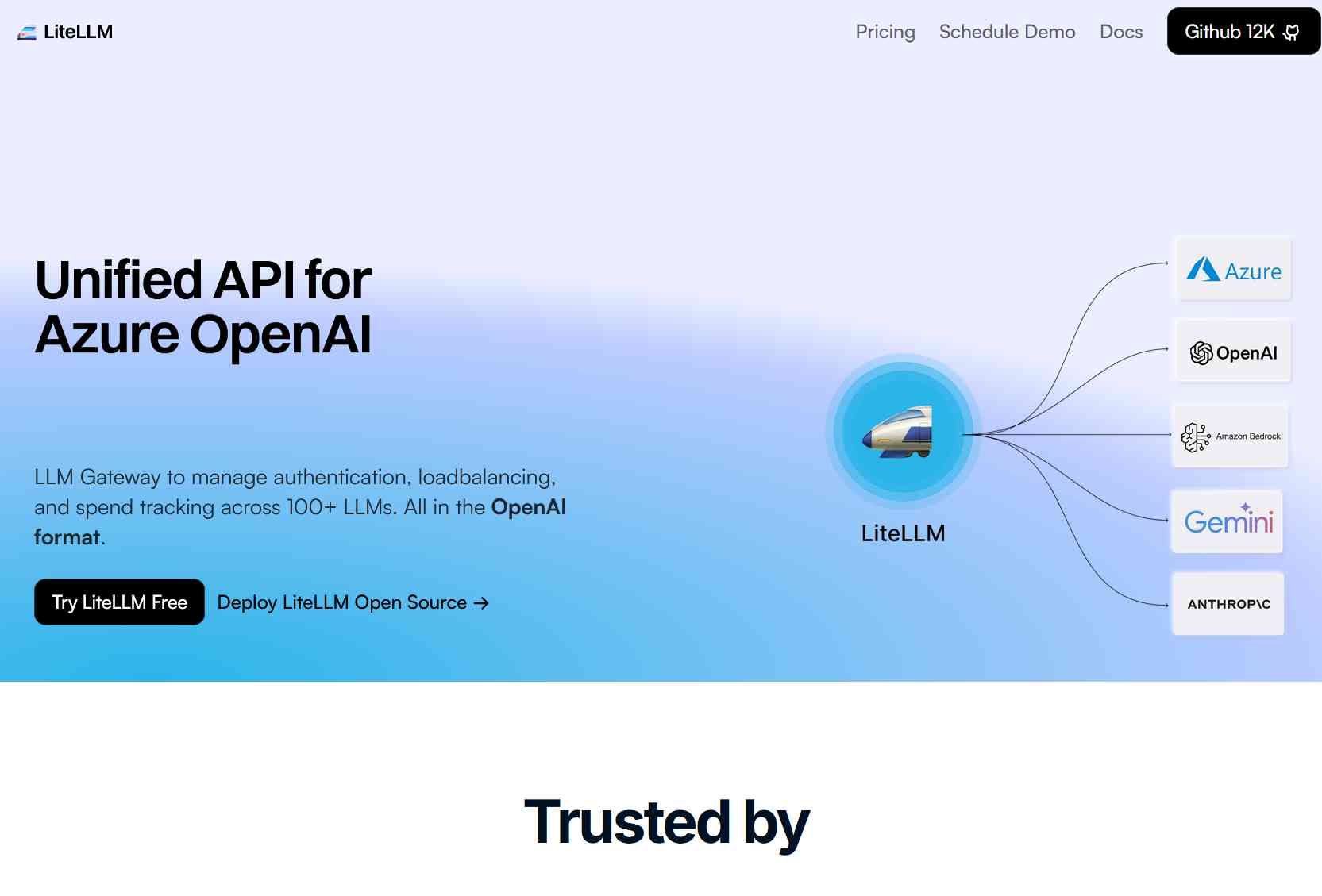
An open-source Python SDK and proxy server for managing authentication, load balancing, and spend tracking across 100+ LLMs using a unified OpenAI format.
Best For Professions:
LiteLLM is an open-source toolkit that streamlines interactions with over 100 large language models (LLMs) by providing a unified API in the OpenAI format. It offers both a Python SDK and a proxy server (LLM Gateway) to manage authentication, load balancing, and spend tracking across various LLM providers, including OpenAI, Azure OpenAI, Vertex AI, and Amazon Bedrock. LiteLLM supports features such as retry and fallback logic, rate limiting, and logging integrations with tools like Langfuse and OpenTelemetry. It is designed to simplify the integration of multiple LLMs into applications, ensuring consistent output formats and efficient resource management.
Product overview
Capabilities, pricing and fit
LiteLLM is best understood as an open-source LLM gateway rather than an agent framework. LiteLLM is the open-source AI gateway that puts your full AI stack behind one OpenAI-compatible key. Track and cap LLM spend, route to the right model, and self-host anywhere — even air-gapped. 140+ providers, 1,892 models.
Information as of July 30, 2026
What it can do
- Agent application development
LiteLLM is the open-source AI gateway that puts your full AI stack behind one OpenAI-compatible key. Track and cap LLM spend, route to the right model, and self-host anywhere — even air-gapped. 140+ providers, 1,892 models.[1]
Where it fits best
- Developers seeking a unified interface to interact with multiple LLM providers.[1]
Sources (1)
- LiteLLM — Open-Source AI Gateway & LLM ProxyOfficial site · checked 2026-07-30
Autonomy level
77/100
Our subjective rating of how independently the product carries out its documented tasks, considering the human setup, input, approval and review it needs. This is not a measured success rate.
Comparisons
Custom Comparisons
Some of the use cases of LiteLLM:
- Developers seeking a unified interface to interact with multiple LLM providers.
- Implementing load balancing and fallback mechanisms across different LLMs.
- Tracking and managing API usage and spending across various projects.
- Integrating LLM functionalities into applications with consistent output formats.
Loading Community Opinions...
Pricing model:
Code access:
Popularity level: 83%
LiteLLM Video:
Turn this profile into a trust signal
Show prospects that LiteLLM has a public place where they can check product details, pricing, ratings, and reviews.
Build confidence
Give buyers a third-party profile to explore.
Reduce hesitation
Put validation beside your strongest CTA.
Earn discovery
Every badge links prospects to your listing.
Choose your style
Preview it, then copy the complete embed code.
Shows buyers where to validate your product, pricing, and reputation.
Plain HTML. No signup, script, or maintenance required.
 AI Agent Store · Specialist AI agents
For ai agent infrastructure teams
Your AI agent for model gateway reliability and spend.
Exploring LiteLLM? For AI agent infrastructure teams, your own AI agent can investigate execution failures, improve shared agent services, and verify platform releases. Start with a setup tailored to this work.
- ✓ Investigate execution failures
- ✓ Improve shared agent services
- ✓ Verify platform releases
Tailored starting setup. Chat on our site. See the workflow and monthly plan.