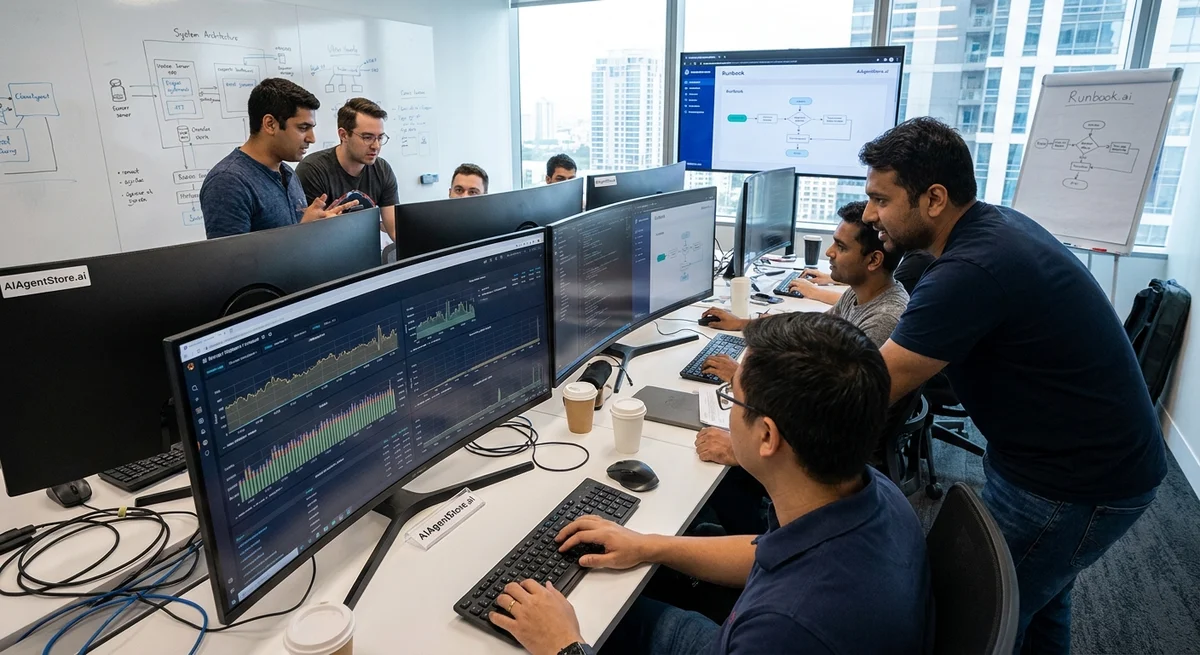
DevOps Incident Triage and Runbook Execution Agents
Introduction
Modern DevOps and Site Reliability Engineering (SRE) teams face a deluge of alerts from complex distributed systems. Manually handling incidents – investigating alerts, finding the root cause, and executing fixes – is slow and error-prone. In response, a new class of AI-driven “incident response agents” (built on AIOps principles) is emerging to automate this work. Gartner defines AIOps as the use of big data and machine learning to automate IT operations tasks such as event correlation and anomaly detection (aitopics.org). These agents automatically detect incidents, correlate related alerts across tools, suggest probable root causes, and even run predefined remediation scripts (runbooks). Early adopters report that AI-enabled triage can slash alert noise by up to 90% and speed incident resolution by 85% (www.atlassian.com) (www.atlassian.com). Leading vendors (Azure, AWS, PagerDuty, Atlassian, etc.) now offer integrated incident-response automation, and open-source projects are also sprouting. This article surveys how such agents work, how they fit into observability, on-call and CI/CD systems, the safety checks (“guardrails” and blast-radius limits) they need, and how we measure their success (MTTA, MTTR, false positives, and reduced engineer stress).
Incident Detection and Alert Correlation
Incident agents start by ingesting alerts and telemetry from an organization’s observability stack – e.g. metrics (Prometheus, Datadog), logs (Splunk, ELK), traces (Jaeger, Grafana), and security events. Instead of flooding engineers with raw alerts, they use ML models and rule-based logic to filter and cluster related alerts. For example, PagerDuty’s AIOps can “group alerts across services” using machine learning (support.pagerduty.com), and Atlassian’s AI features “spot critical issues faster with AI-powered alert grouping that clusters related alerts” (www.atlassian.com). This dramatically reduces alert noise and prevents alert fatigue. Alert fatigue is well known: if an engineer sees dozens of false or redundant alarms, they start ignoring or delaying responses (www.atlassian.com) (www.atlassian.com). Indeed, studies reported 52–99% of alerts in healthcare and security operations are false or repetitive (www.atlassian.com). As pilot Sully Sullenberger warns, “false positives are one of the worst things you could do to any warning system. It just makes people tune them out” (www.atlassian.com). By contrast, intelligent triage presents a unified, prioritized incident with only actionable alerts (www.atlassian.com), reducing cognitive load on on-call teams.
These agents typically correlate alerts across systems (east-west correlation) as well as with past incidents. For example, Microsoft’s new Azure SRE Agent automatically acknowledges each alert and queries connected data sources (metrics, logs, deployment records, and historical incidents) (learn.microsoft.com). If a similar issue occurred before, it “checks memory for similar issues” and learns from previous fixes (learn.microsoft.com). PagerDuty’s system likewise highlights whether “the incident has previously occurred” and if a recent code change was likely the cause (support.pagerduty.com). In essence, the agent builds context: it knows which alerts are duplicates or related, which services are involved, and whether a recent deployment may have triggered the incident. This cross-correlated view is far richer than a single tool’s alert.
Root Cause Analysis and Suggestions
Once incidents are detected, agents help diagnose root causes. Using pattern matching and AI, they sift logs, metrics, traces, and change history to form hypotheses, test them, and suggest likely culprits. For example, the Azure SRE Agent “forms hypotheses about what went wrong and validates each one with evidence” (learn.microsoft.com). PagerDuty’s AIOps also “surfaces critical incident information” and points out the “probable origin of the incident” and whether a recent change is the likely cause (support.pagerduty.com). Open-source platforms are exploring similar ideas: OpenSRE claims to “investigate the moment an alert fires – correlating signals, testing hypotheses, and recommending fixes before you’re even paged” (www.tracer.cloud). These automated root-cause modules often integrate with external tools (AIOps systems can pull data from New Relic, Dynatrace, Git, Jira, etc.) to enrich context (www.atlassian.com) (learn.microsoft.com). In practice, this means the agent might identify “high CPU usage on api-deployment pods” along with a “recent code commit” that changed the service – quickly guiding engineers to the source.
Runbook Execution and Rollback Strategies
After diagnosis comes remediation. Runbooks are predefined guides or scripts for resolving incidents (e.g. “restart service”, “scale deployment”, “clear cache”). Automating runbooks turns human procedures into code. According to industry guides, runbooks evolve from fully manual steps to executable runbooks where engineers click a button, to fully automated runbooks with no human steps (www.solarwinds.com). Leading tools provide built-in runbook/automation engines. For instance, Azure Monitor alerts can trigger Azure Automation runbooks via action groups (learn.microsoft.com). AWS offers “Incident Manager” which uses Systems Manager documents (SSM runbooks) in response plans (docs.aws.amazon.com). Sumo Logic calls its automated workflows Playbooks, which “can be configured to execute automatically without user intervention” or in interactive mode requiring approval (www.sumologic.com).
Crucially, automated runbook execution must include rollback plans. Best practices emphasize having a clear rollback or undo step so that if a change worsens the situation, it can be quickly reversed (www.solarwinds.com). For example, a runbook might increase capacity by 20% but immediately monitor health and automatically roll back if errors spike. Popular SRE guidance explicitly recommends “have a rollback plan” and “enforce success checks using permission gates” for any automated change (www.solarwinds.com). In real-world implementations, an agent will carry out a runbook step by step, checking outcomes. If it detects that a fix failed (e.g. service still down) or triggered an alert, it will roll back. Some systems even allow a dry-run or canary mode: performing the action on a small subset (minimizing the blast radius) and requiring human approval before full rollout.
Integrations with DevOps Ecosystem
Effective incident agents are deeply integrated with the broader DevOps toolchain:
-
Observability platforms: They pull data from metric stores (Prometheus, Datadog, Graphite), log aggregators (Splunk, Elastic, Fluentd), and tracing (OpenTelemetry, Jaeger). For example, an agent may query Grafana or Kibana dashboards, or call APIs on monitoring systems to gather evidence.
-
On-call management: They connect with services like PagerDuty, Opsgenie, VictorOps or open-source tools (Grafana OnCall (grafana.com)) to receive alerts and post updates. Many agents will automatically acknowledge or suppress alerts in the on-call system (as the Azure agent does) to avoid paging multiple people. They can also post status updates into Slack, Teams or email channels, contextually, or await a human answer to approval prompts (www.sumologic.com).
-
CI/CD Pipelines: Agents can link to build/deployment tools (Jenkins, GitLab CI, GitHub Actions, Spinnaker). This helps in two ways: (1) if an incident is code-related, the agent can trigger a pipeline to apply a hotfix (or roll back a bad deploy); (2) the agent can cross-reference change logs. For instance, by integrating with version control, an agent can say “service X was just updated 5 minutes ago” by checking commit history or deployment events (learn.microsoft.com). Some organizations even programmatically link incidents to pull requests or Jira issue tags, creating a feedback loop.
-
Change and Audit Logs: Agents ingest change event streams from systems like Git repos, artifact registries, or infrastructure-as-code (Terraform/ARM templates). This history lets the agent quickly surface recent changes. PagerDuty’s AIOps, for example, includes a “Recent Changes” view so responders can see deployments or config changes around the incident time (support.pagerduty.com). Rigorous change logging also helps in audit trails: when the agent takes an action, it records the steps (who/what/when) for post-incident review.
Guardrails, Blast Radius, and Approval Workflows
Automated agents must include safety guardrails to prevent automated fixes from causing bigger problems. Guardrails are checks embedded in runbooks or the agent logic that enforce company policy or operational limits. Examples include: ensuring a patch is only deployed to non-critical nodes first, verifying that CPU/memory usage is below a threshold before scaling down, or requiring two-factor authentication to apply database changes. Some systems label environments as protected (e.g. prod vs staging); deployments to production then require explicit approvals. Tools like GitLab and Octopus Deploy allow specifying “protected environments” that block any deployment until designated approvers sign off.
The blast radius concept is central: it measures how many users or systems an action will affect. Agents often calculate blast radius during triage. For instance, the open-source Agentic Ops Framework explicitly includes an “Initial Triage” step that assesses severity and blast radius (docs.aof.sh). This might translate to: “this outage currently affects ~500 customers and 1 service” (docs.aof.sh). With that context, the agent might choose a cautious rollout (fix just those 500 users first) or seek extra approval if the blast radius is large. In essence, no destructive action goes forward unless it’s safe.
Approval workflows are another key element. Even an automated agent will often pause for human approval on sensitive changes. For example, a subsidy to reboot critical servers might require the on-call engineer to click OK in a Slack dialog. Sumo Logic’s playbooks, as one illustration, can run in interactive mode, pausing for user input to “authorize predefined actions” (www.sumologic.com). Similarly, if a runbook step asks to delete a database table, an approver in a DevOps ticket or chat channel must confirm. These gates (sometimes enforced by CI/CD pipeline gates or ITSM change approvals) prevent an errant script from “auto-healing” into a bigger outage.
Measuring Success: MTTA, MTTR, and Cognitive Load
To evaluate agents, teams track incident metrics. Two common SRE metrics are MTTA and MTTR. Mean Time To Acknowledge (MTTA) is the average duration between an alert firing and an engineer (or agent) starting work on it. Mean Time To Repair/Resolve (MTTR) is the average time from when a system fails to when it is fully recovered (www.atlassian.com) (www.atlassian.com). Automated agents aim to minimize MTTA (by instantly grabbing alerts) and MTTR (by swiftly diagnosing and even fixing issues). For example, Atlassian reports that customers using AI-driven triage saw an 85% faster incident resolution (www.atlassian.com).
Another measure is alert noise or false positives per incident. A good agent dramatically reduces irrelevant alerts. Atlassian claims up to 90% reduction in alert noise with their alert grouping AIOps features (www.atlassian.com) (www.atlassian.com), and PagerDuty advertises “fewer incidents” through its noise reduction ML (support.pagerduty.com). Suppressing false positives is not just about lost cycles — it directly impacts cognitive load. Studies of alarm fatigue show that constant false alerts lead to burnout, slower responses, and even missed real problems (www.atlassian.com) (www.atlassian.com). As Atlassian warns, “constant alerts, sleep interruptions, and full inboxes are a recipe for burnout” (www.atlassian.com). By filtering noise, an agent keeps engineers focused and alert, improving morale and retention.
Teams also track qualitative outputs: how many incidents were auto-resolved, how many needed human intervention, and the accuracy of root-cause suggestions. Over time, agents “learn” (through supervised feedback or adaptive ML) to improve their success rate. Key performance goals include achieving low false-positive suppression (so real issues aren’t ignored) and lowering the cognitive burden on responders (www.atlassian.com) (www.atlassian.com).
Existing Solutions and Gaps
Several commercial solutions already incorporate incident-triage agents:
- Azure SRE Agent (Microsoft) automatically acks alerts (from PagerDuty, ServiceNow, etc.), gathers context (metrics, logs, Kusto queries), correlates deployments (via source control), then forms hypotheses and proposes fixes (learn.microsoft.com) (learn.microsoft.com).
- AWS Systems Manager Incident Manager ties CloudWatch alarms to runbooks (SSM documents) and postmortems (docs.aws.amazon.com).
- PagerDuty AIOps offers noise reduction and an “Operations Console” that highlights probable root causes and related incidents (support.pagerduty.com) (support.pagerduty.com).
- Atlassian Jira Service Management (Rovo AIOps) clusters alerts and embeds root-cause analysis (integrating New Relic, Dynatrace, BigPanda) directly in tickets (www.atlassian.com) (www.atlassian.com).
- Splunk ITSI, Moogsoft, BigPanda and others provide similar AI-based event correlation and runbook/automation plugins.
- Open-source projects like Grafana OnCall (for on-call scheduling) and Agentic Ops Framework (AOF) are building pipelines that ingest alerts, assess blast radius, and auto-investigate using observability tools (docs.aof.sh) (docs.aof.sh). For instance, AOF’s tutorial explicitly shows using an “Incident Responder” agent to determine severity and blast radius as part of automated triage (docs.aof.sh). Tracer’s OpenSRE toolkit touts “10X faster” resolution by auto-investigating alerts (www.tracer.cloud).
Despite these advances, gaps remain. Many products are tied to a single cloud or stack, making multi-vendor correlation tricky. Cognitive load metrics (quantifying engineer fatigue) are not well tracked. Real-time guardrails (like automatic canary analysis, dynamic dependency checks) are often manual or bolted on. Approval workflows still rely on generic tools (Slack buttons, ticketing systems) rather than being part of an AI pipeline.
Nor is there a one-size-fits-all solution. Some teams crave fully autonomous remediation (“lights-out operations”), while others only permit agents to triage and propose recommendations. Interpretable (explainable) AI for root cause is also an open field – teams want confidence and audit trails of what the agent did.
Actionable Advice
To improve incident response today, teams can start small and iterate:
- Centralize observability data. Aggregate logs, metrics, traces, and events from all environments. Use standards like OpenTelemetry so that agents can query any vendor system.
- Tune alerts first. Before deploying AI, eliminate obvious noise. Implement throttling, proper thresholding, and alert deduplication in your monitoring. This pays dividends in agent accuracy too.
- Define and catalog runbooks. Write down standard incident response steps (on-call playbooks) and gradually automate them. Use infrastructure-as-code (IaC) tools (Terraform, ARM templates, Ansible, etc.) for deliverables. Ensure every automated runbook includes a rollback step.
- Integrate with on-call/ChatOps. Connect your incident manager (PagerDuty, OpsGenie, email) to the agent platform. Use ChatOps (Slack/Teams bots) so engineers can query the agent or approve actions with simple messages.
- Measure everything. Start tracking MTTA/MTTR baseline, alert volumes, false-positive rates, and number of escalations. After automation, monitor how those metrics trending – even 15–30% improvements translate to big savings in downtime and toil.
- Implement guardrails early. Even for simple automations, code checks that prevent wide rollouts. For example, require a multi-step confirmation if a fix affects >10% of servers. Enforce principle of least privilege (agent actions should run with minimal access).
For entrepreneurs and innovators: there’s a real opportunity to build smarter, vendor-agnostic incident agents. A next-generation solution might combine: open observability integration (Kubernetes, cloud, legacy apps), low-code runbook authoring, real-time blast-radius visualization, and AI that continuously learns from post-mortems. It could offer a unified dashboard that spans monitoring, change management, and chat/chatbot control. Embedding support for approval policies, regulatory compliance (audit logs), and team learning (annotating incidents) would fill gaps left by narrow tools. Ideally, such a platform would let any engineering team “plug in” their tools (Slack, GitHub, Prometheus, etc.) and immediately start automating alert triage and safe remediation. As Van Eeden and Atlassian suggest, most teams are now expecting AI assistance (www.atlassian.com) – the next breakthrough will be an agent that truly feels like an on-call teammate, not just a script runner.
Conclusion
AI-powered incident triage and runbook execution agents are transforming DevOps reliability. By correlating alerts, pinpointing causes, and automating fixes (with built-in rollbacks), they dramatically shrink outage impact and engineer toil. When those agents are integrated with observability tools, on-call systems, and CI/CD pipelines, teams move from firefighting to proactive reliability engineering. Key guardrails – alert quality, blast-radius limits, and human approvals – ensure automation doesn’t run amok. Measured improvements in MTTA/MTTR and reductions in alert noise directly translate into cost savings and happier teams (www.atlassian.com) (www.atlassian.com). Numerous vendors now offer pieces of this vision, but room remains for more holistic and user-friendly solutions. As the DevOps field continues evolving, we can expect incident response agents to become increasingly intelligent, reliable, and integral to the software delivery lifecycle.